Core Covers Most People, Advanced Covers Long Call Days
For most people, Krisp Core at $8 per seat a month on annual billing is enough. The Krisp pricing page lists unlimited noise cancellation, unlimited AI notes and 1 hour a day of accent conversion on Core, as of November 2026. Advanced costs $15 per seat on annual billing and raises speaker-side accent conversion to 4 hours a day.
Pick Advanced if your team spends most of the day on calls and leans on accent conversion, or if you need the Salesforce or ConnectWise integrations. Everyone else pays $7 per seat a month for features they will not touch. All figures come from the Krisp pricing page, checked in November 2026. Confirm current pricing on the official site before subscribing.
The Free Option Is Now a 7-Day Trial
The pricing page does not list a permanent free plan. The only $0 option is a trial marked free for 7 days, with no credit card required.
The trial is generous while it lasts. It lists unlimited transcription, unlimited noise cancellation, unlimited audio and video recording, and unlimited AI notes and action items. Accent conversion is the one feature marked as limited.
The page does not say what happens when the 7 days end. Plan to decide on a paid seat inside that week, and use the trial on your heaviest call days so the test reflects real use.
What Every Paid Seat Includes
Core is the base paid plan, and it already covers what most people install Krisp for. Noise cancellation is unlimited, and the FAQ says it is built into every plan rather than sold separately.
The AI note-taker is also unlimited on Core and works without a bot joining the call. Core lists transcription, audio and video recording, AI notes and action items, in-person meeting notes, AI chat and multilingual transcripts. The comparison table lists transcripts and summaries in 16+ languages.
Core also includes unlimited integrations and webhooks, a mobile app, MCP integration, team and billing management, and 10 GB of storage. If you only want clean audio, the FAQ says you can switch off the meeting assistant entirely.
Core and Advanced Feature by Feature
The table uses the Krisp pricing page as of November 2026. Annual prices are per seat per month under the annual toggle.
| Feature | Core | Advanced |
|---|---|---|
| Monthly price per seat | $16 | $30 |
| Annual price per seat | $8 | $15 |
| Noise cancellation | Unlimited | Unlimited |
| AI note-taker and transcription | Unlimited | Unlimited |
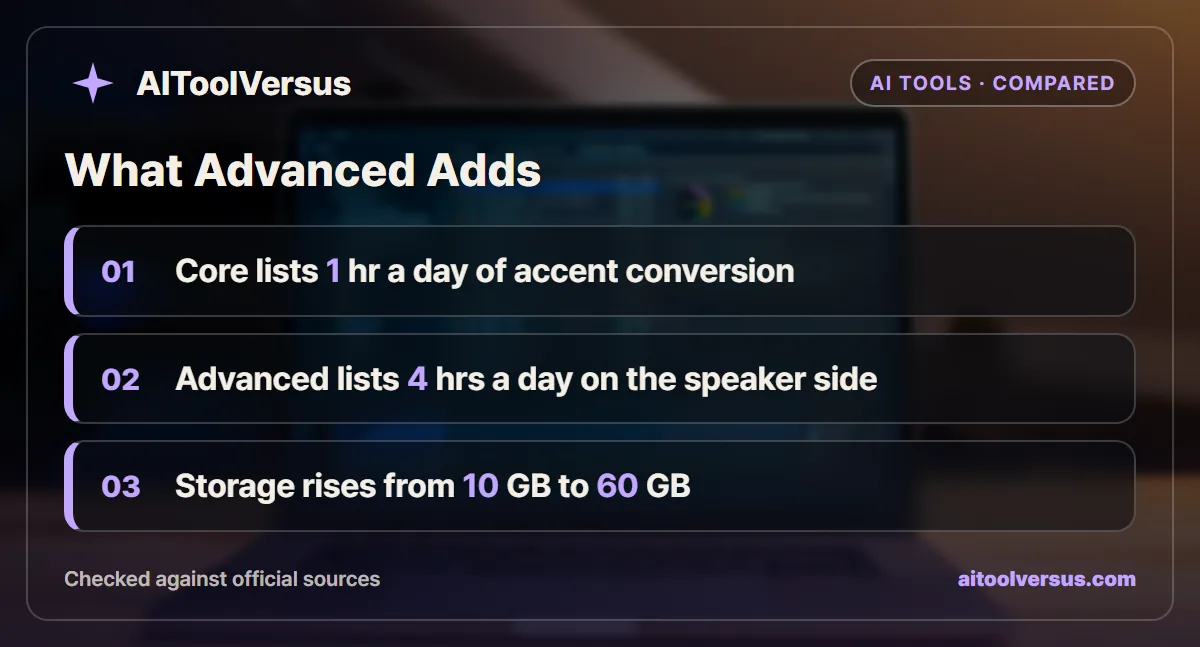
| Accent conversion, speaker side | 1 hr a day | 4 hrs a day |
| Accent conversion, listener side | 1 hr a day | Unlimited |
| Storage | 10 GB | 60 GB |
| CRM integrations | General integrations and webhooks | Adds Salesforce and ConnectWise |
| Admin controls | Team and billing management | Adds link sharing and note-taking mode enforcement |
| Sales features | Not listed | Manager view, company deal grouping, trim and comment |
| Support | 24/7 plus Slack community | Priority support plus dedicated Slack channel |
Read down the right column and a pattern appears. Apart from accent conversion and storage, every Advanced addition serves a sales team with a manager and a CRM.
How Accent Conversion Works and Who It Helps
Accent conversion adjusts your speech in real time so listeners understand you more easily. The Krisp accent conversion page says it currently refines LatAm English, Indian English and Filipino English, with more accents planned.
It works with Zoom, Microsoft Teams, Google Meet and other meeting apps. The FAQ says it does not work offline. Krisp recommends a USB-wired headset with a boom microphone for the best result.
The pricing page splits the feature into a speaker side and a listener side. The speaker side changes how you sound to others, and that is the side with the tighter daily cap. If you never speak with one of the supported accents, the speaker-side allowance does nothing for you.
Why the Daily Cap Matters More Than the Price
Krisp meters accent conversion by the day, not by the month. One hour a day cannot be saved up for a long Friday of calls.
That makes the cap easy to hit for a support or sales rep. Someone on calls for five hours a day would have accent conversion for the first hour and none for the remaining four on Core. Advanced covers four of those five hours on the speaker side.
For a consultant with two short calls a day, the 1-hour cap rarely bites. The question is not how often you use Krisp, but how many hours a day you speak on calls with a supported accent.
A Six-Person Sales Team Priced Both Ways
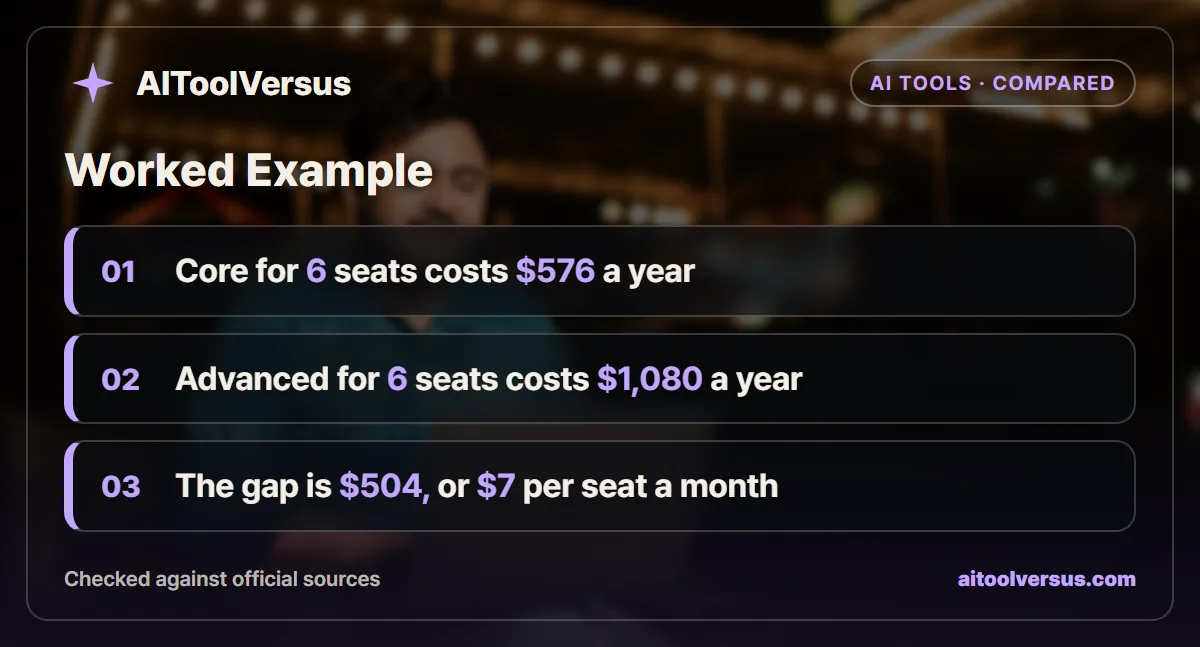
Consider a sales team of 6 reps, each on calls for several hours a day. The prices below use the annual rates on the pricing page and assume the rates stay unchanged for the year.
| Step | Core | Advanced |
|---|---|---|
| Price per seat per month, annual | $8 | $15 |
| Six seats per month | 6 x $8 = $48 | 6 x $15 = $90 |
| Six seats per year | $48 x 12 = $576 | $90 x 12 = $1,080 |
| Speaker-side accent conversion per rep | 1 hr a day | 4 hrs a day |
| Extra cost of Advanced per year | Baseline | $504 |
The gap is $504 a year for the team, or $7 per seat a month. For that money, each rep gets 3 more hours of speaker-side accent conversion a day, unlimited listener-side conversion and a sales manager view.
Monthly billing doubles both lines. Six Core seats would cost $96 a month and six Advanced seats $180, so the annual toggle is worth taking once the team has settled on a plan.
The example shows the decision hinges on call hours and accent, not team size. A team that does not use accent conversion gets little from Advanced beyond Salesforce and storage.
The Price of One Hour of Accent Conversion
Dividing the seat price by the hours it unlocks shows where Advanced pays off. Assume 21 working days a month, which is an illustrative figure, and full use of the daily speaker-side allowance.
| Plan, annual billing | Hours a month at full use | Price per seat | Price per hour |
|---|---|---|---|
| Core | 1 hr x 21 days = 21 hours | $8 | About 38 cents |
| Advanced | 4 hrs x 21 days = 84 hours | $15 | About 18 cents |
At full use, Advanced costs less than half as much per hour of accent conversion. The catch is the phrase full use. A rep who needs only 90 minutes a day uses 31.5 hours a month, so Advanced works out near 48 cents an hour and Core still covers two thirds of the need.
A solo user sees the same split at a smaller scale. One Core seat costs $96 a year on annual billing or $192 on monthly billing, and one Advanced seat costs $180 or $360.
The Advanced Extras Built for Sales Managers
Several Advanced features only make sense with a manager reviewing calls. Manager view and company deal grouping organize notes around accounts, and trim and comment lets a reviewer clip a moment and leave feedback on it.
The admin controls point the same way. Advanced adds control over who can open shared meeting links and lets an admin enforce a note-taking mode across the team. Team-level webhooks send call data onward at the team level rather than per person.
None of these change audio quality or note accuracy. A team without a sales manager or a CRM pipeline can skip all of them and lose nothing that affects a single call.
The pricing page also names Salesforce and ConnectWise as Advanced integrations. Core still lists unlimited general integrations and webhooks, so check whether your tool is covered there before upgrading for a connector.
Storage Fills Faster Once You Record Video
Core lists 10 GB of storage and Advanced lists 60 GB, a sixfold jump. Krisp records both audio and video, and video files are far larger than transcripts.
If you keep recordings of every call, storage may push you up before accent conversion does. The pricing page lists add-on storage of up to 2 TB on Core and Advanced, so check its price before upgrading only for space.
A cheaper habit is to keep transcripts and notes and delete raw video after a set period. Most teams search transcripts far more often than they rewatch footage.
When Neither Plan Is the Right Fit
Enterprise is the step for regulated work. It adds SSO and SCIM, SOC 2 report access, on-device private transcription, a choice of data center location and unlimited storage. BAA signing is listed for teams with 100+ seats.
Contact centers have a separate product. The pricing page lists Call Center AI at $15 per agent a month on annual billing for its CC Core plan.
Recording rules also apply to every plan. A bot-free note-taker still records the conversation, so read our guide on whether you need consent before an AI notetaker joins before you switch it on for client calls. For other tools in this space, see our AI meeting assistant comparison.
Seat Rules to Check Before You Invite the Team
Krisp bills per seat, and the FAQ says any teammate you add to a Krisp team counts as one. Invite only the people who will use it, because a dormant seat costs the same as an active one.
The page also lists unlimited members on every plan, so team size has no cap, and volume discounts for teams of more than 50. Payment runs on major credit and debit cards, with invoices reserved for Enterprise.
Support differs by plan as well. Core lists 24/7 support plus a Slack community, while Advanced adds priority support and a dedicated Slack channel. For a five-person team, that support upgrade alone rarely justifies $7 per seat a month.
Which Krisp Plan Fits Your Calls
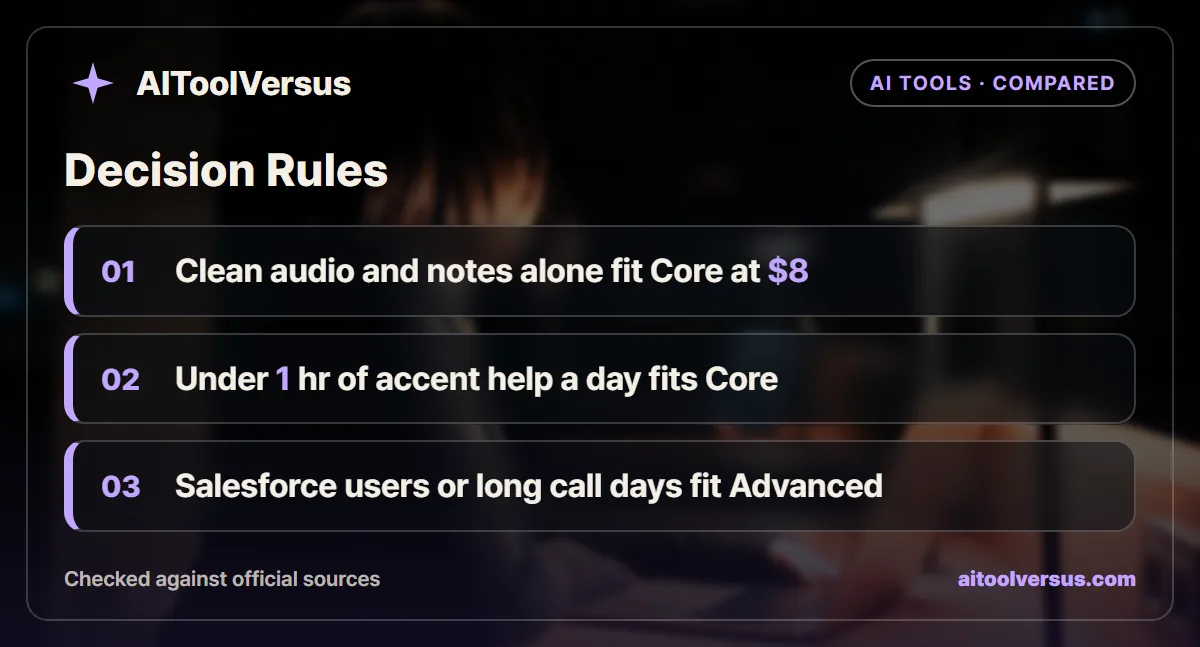
If you mainly want clean audio and meeting notes: Core fits. At $8 per seat on annual billing it gives unlimited noise cancellation, transcription and AI notes.
If you speak with a supported accent for under an hour of calls a day: Core fits. The 1-hour daily allowance covers a short daily stand-up and a client call or two.
If you spend most of the workday on calls and rely on accent conversion: Advanced fits. The 4-hour speaker-side allowance covers a full shift of customer calls far better.
If your team works in Salesforce or ConnectWise: Advanced fits, since those integrations are listed only from that plan up.
If you need SSO, a BAA or on-device transcription: go straight to Enterprise and talk to sales.
Use the Trial Week to Count Call Hours
Track how many hours a day you spend speaking on calls during the 7-day trial. That one number tells you whether the 1-hour Core cap is enough.
If most days run past an hour and accent conversion helps, Advanced is the honest choice. If not, Core does the job at about half the price.
Confirm current pricing and limits on the official site before subscribing. The annual and monthly labels sit on a toggle, so check which price applies before you enter payment details.
FAQ
Does Krisp still have a free plan?
The Krisp pricing page lists a 7-day free trial with no credit card required, not a permanent free plan, as of November 2026. During the trial it lists unlimited transcription, noise cancellation, recording and AI notes, with limited accent conversion.
How much do Krisp Core and Advanced cost?
Core is listed at $16 per user a month and Advanced at $30, with annual billing shown as $8 and $15 per user a month under a toggle labeled Save 50%. Every teammate added to a Krisp team counts as a paid seat. Confirm current pricing on the official site.
How much accent conversion does Krisp Core include?
Core includes 1 hour a day of accent conversion on both the speaker side and the listener side. Advanced raises the speaker side to 4 hours a day and makes the listener side unlimited, according to the plan comparison table.
Is Krisp noise cancellation unlimited on Core?
Yes. The Krisp pricing page says noise cancellation is built into every plan and is unlimited on Core and Advanced. It also says you can disable the meeting assistant if you only want Krisp for clean audio.
Which accents does Krisp accent conversion support?
The Krisp accent conversion page lists LatAm English, Indian English and Filipino English, with more accents planned. It works with Zoom, Microsoft Teams, Google Meet and other meeting apps, and the FAQ says it does not work offline.
Sources
- Krisp pricing — checked 2026-11-05
- Krisp AI Accent Conversion — checked 2026-11-05
Some links may be affiliate links. We may earn a commission at no extra cost to you.
How this article was made: it was drafted with AI assistance from the official sources listed above, and its figures were checked against those pages on the dates shown. It is not based on personal hands-on testing.
Comments
Post a Comment