
No Studio, No Producer, Still Publishing Weekly
Podcasting rewards good sound, yet solo creators rarely own a studio. AI tools now close much of that gap, handling cleanup, editing, and transcription without a large budget.
This guide follows a real podcaster’s path from raw recording to published episode, mapping the best AI tools to each stage. It matters most for creators without a producer, where one person records, edits, and publishes every week.
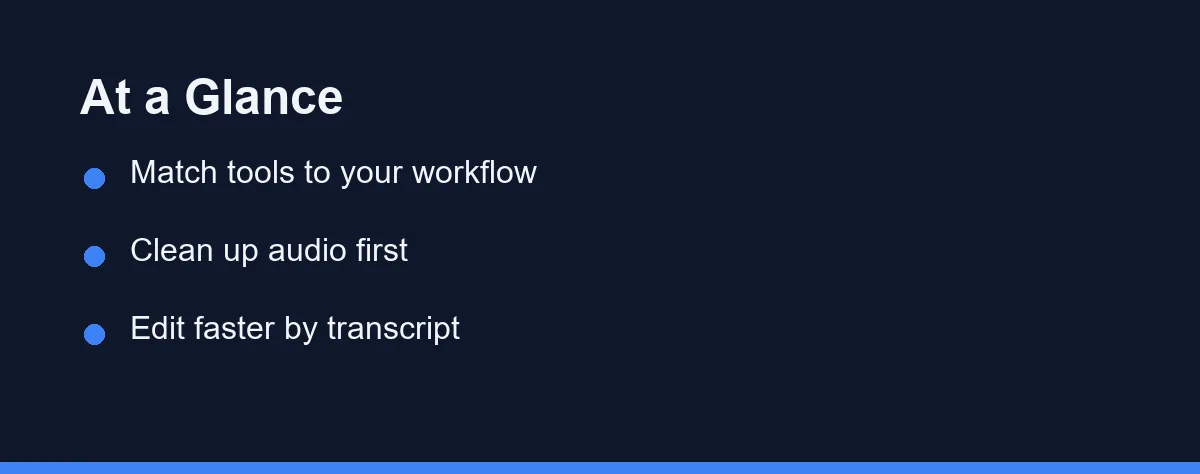
There is no single best tool for every show, and the honest answer is that you are assembling a stack rather than picking a winner. Descript leads on transcript-based editing, Adobe Podcast Enhance on one-click cleanup, Riverside on remote recording, and Auphonic on final loudness.
Most creators combine two or three of them. You might record in Riverside, edit in Descript, and master in Auphonic before release. Prices and features shift often, so confirm current pricing on each official site, since everything here reflects public positioning at the time of writing.
Stage One: Recording Something You Can Save Later
Your recording setup shapes every decision that follows. Remote interviews, in-person chats, and solo episodes each stress different features, so name your format before you shop.
Riverside focuses on remote recording quality. It captures separate local tracks for each guest, which avoids the drops and artifacts of a live internet stream.
Each participant records in high resolution on their own device, and the files upload afterward for a clean final mix. That design protects audio even on a shaky connection.
Riverside also records video alongside audio for each guest, which helps shows that publish clips to video platforms. Separate camera and mic tracks give you more editing control later.
It adds transcription, clip creation, and basic editing on top. As of September 2026, the free plan allows 2 hours of multi-track recording in total, and Pro costs $29 a month for 5 hours per month.
What AI Can Rescue and What Is Gone for Good
This distinction saves more episodes than any single tool. Some damage responds beautifully to processing, and some damage is simply missing information.
Adobe Podcast centers on its Enhance Speech feature, which cleans up voice recordings in one click and often lands close to a treated studio. It targets background noise, room echo, and uneven levels, which is why bedroom recordings can end up sounding acceptable.
Clipping, heavy digital distortion, and a dropped internet stream are a different category. The original information is gone, and no processing can invent it back.
So the reliable fix is preventive. Record separate local tracks for remote guests and check levels before the conversation starts, because that is the failure no editor repairs afterward.
Adobe Podcast runs in the browser without heavy installs, which lowers the barrier for creators new to audio software. The core tool has stayed free during its public rollout, so confirm current access and pricing on the official site.
Editing by Transcript Instead of Waveform
Descript treats your audio like a text document. You edit the recording by editing its transcript, so deleting a sentence in the text removes it from the audio.
That single idea is what turns a weekly show into a manageable job for one person. Dragging waveforms by hand is the slowest part of podcast production, and this skips it entirely.
Descript also strips filler words, applies studio-style effects, and supports multitrack projects. Its Overdub voice feature can patch small slips without a new session. Learn more on the official site at https://www.descript.com.
Transcripts generate automatically as you import audio, and they double as show notes and a searchable archive. That tight loop suits creators who write and edit together.
Resist the urge to cut every pause and breath. Over-editing drains the natural rhythm of speech, and the result stops sounding human.
The Master Nobody Notices When It Is Right

Auphonic automates the final polish stage, handling loudness normalization, leveling, and noise reduction so the output meets common podcast loudness standards.
You upload a finished mix and Auphonic balances it, which removes the guesswork from mastering for anyone who is not an audio engineer. It processes a set number of hours per plan, and Auphonic says the service is free for 2 hours of processed audio per month.
It can also add chapters, tags, and metadata, then export directly to many hosting platforms. That turns a raw mix into a publish-ready episode with little effort.
Many podcasters run every episode through it last, which gives consistent volume across a back catalogue. Listeners never notice good mastering, and they always notice the absence of it.
| Tool | Best For | Skill Level | Workflow Stage |
|---|---|---|---|
| Descript | Transcript-based editing | Beginner friendly | Editing and transcription |
| Adobe Podcast | One-click audio enhancement | Beginner friendly | Recording cleanup |
| Riverside | Remote recording quality | Beginner to intermediate | Recording |
| Auphonic | Loudness and leveling | Intermediate | Final mastering |
Read that table as a map of stages rather than a ranking. These four rarely compete head to head, and the real question is which gap each one fills for you.
Transcripts, Show Notes, and Getting Found
Transcripts do more than speed up editing, and this is the part most shows leave on the table.
Search engines index the text on your episode page, not the audio itself. Publishing a cleaned-up transcript alongside a real summary gives that page something substantial to rank for, and it makes your archive searchable for listeners too.
Descript and Riverside both produce the raw transcript in minutes. The version you publish should be tidied first, since verbatim speech reads poorly on a page.
Treat the AI summary as a draft. Rewrite the episode title and description yourself, because those are the two things listeners actually scan before pressing play. For deeper options, see our guide to the best AI transcription tools.
Accessibility is the quiet third benefit. A transcript opens your show to listeners who cannot use audio at all.
What This Costs at Your Publishing Pace

Pricing across these tools varies by feature and usage. Editors often charge monthly with transcription-hour limits, while mastering tools may bill by processed audio hours.
Some options include a free tier with capped minutes, and others offer a free core feature during a rollout period. Limits and promotions change without much notice.
The few figures quoted in this guide are as of September 2026. Confirm current pricing on each official site before you subscribe, since the market moves faster than any article.
Estimate your real monthly output when you compare. A weekly show adds up far faster than an occasional one, so match the plan to your true publishing pace.
Watch for overlap before paying for everything. One editor may already cover transcription and light voice work, and dropping a redundant subscription keeps the stack lean. To compare narration options, read our roundup of the best AI voice generators.
Who Should Reach for Which Tool
These tools own different stages of production, so the right pick depends on where your episodes lose quality or time. Find your situation below.
The solo host recording in an untreated room: Adobe Podcast Enhance is the highest-value first move, because it addresses noise and echo in one pass with almost no learning curve. It is a cleanup tool rather than an editor, so pair it with whatever you already use to cut the episode. Improving the room and mic placement still beats any processing.
The interviewer with remote guests: Riverside solves the problem at its source by capturing separate local tracks for each participant. That protects the audio when a connection stutters, which is the failure no editor can repair afterward. The video tracks also matter if you publish clips.
The host who dreads editing: Descript changes the job entirely, since cutting a sentence in the transcript cuts it from the audio. Filler word removal and multitrack support make a weekly show manageable for one person. Resist cutting every pause, because the result stops sounding human.
The publisher who wants consistent loudness: Auphonic handles the final master, evening out levels so listeners are not adjusting volume between episodes. It also adds chapters and metadata before the file reaches your host. Run it last, after all editing is finished.
The creator on a tight budget: Start with one anchor tool rather than assembling the full stack. Most editors already include transcription, and some cleanup features are free during rollout, so check for overlap before paying twice. Confirm current plans on each official site as you build up.
Ship Episodes, Then Refine the Stack
A solo podcaster no longer needs a studio to sound professional. The right stack covers capture, cleanup, editing, and mastering, and each stage has a clear standout.
The last mistake worth naming is chasing tools instead of finishing episodes. A modest stack you actually use beats a perfect one you never learn.
Start with one anchor tool, add a second only when a real gap appears, and let your own audio decide the winner. Confirm features and pricing officially, then hit record.
Voice choice deserves the same patience as tool choice, since a narrator you tire of will outlast any feature you liked. How to pick an AI voice you can live with works through that decision over a long run of episodes.
Transcription is the other line item where the cheapest option is not always the right one for guest interviews. We put the two usual candidates side by side in Otter against Rev for interview transcription.
FAQ
What is the best AI tool for solo podcasters in 2026?
There is no single best tool for every show. Descript suits transcript-based editing, Adobe Podcast handles one-click cleanup, and Riverside fits remote recording. Auphonic covers final loudness. Confirm current pricing on each official site.
Are there free AI tools for podcasting?
Some tools offer free tiers or a free core feature during rollout, while full editing usually needs a paid plan. Limits and promotions change often. Always verify current pricing on the official site before you subscribe.
What is transcript-based editing for podcasts?
Transcript-based editing lets you cut audio by deleting words in a text transcript. Removing a sentence in the text removes it from the recording. This approach saves hours compared with dragging waveforms by hand.
Can AI rescue a badly recorded episode, or do I need to record it again?
It depends on what went wrong, and the distinction matters. Background noise, room echo, and uneven levels respond well to a tool like Adobe Podcast Enhance, which is why bedroom recordings can end up sounding acceptable. Clipping, heavy digital distortion, and a dropped internet stream are different problems, because the original information is simply missing and no processing can invent it back. The reliable fix is preventive, such as recording separate local tracks in Riverside for remote guests and checking levels before the conversation starts.
Do transcripts and AI show notes actually help people find my podcast?
They help mainly because search engines index the text on your episode page, not the audio itself. Publishing a cleaned-up transcript alongside a real summary gives that page something substantial to rank for, and it makes your archive searchable for listeners too. Tools such as Descript or Riverside produce the raw transcript in minutes, but the version you publish should be tidied, since verbatim speech reads poorly. Treat the AI summary as a draft and rewrite the episode title and description yourself, because those are what listeners actually scan.
Sources
- Auphonic: Pricing — checked 2026-09-27
- Riverside: Pricing — checked 2026-09-27
Some links may be affiliate links. We may earn a commission at no extra cost to you.
This article was written with AI assistance. It is researched and fact-checked, not based on personal hands-on testing unless explicitly stated.
Comments
Post a Comment