Two Tools, Opposite Problems
The fastest way to lose an afternoon is to pick the wrong image tool for social media. Canva AI and Adobe Firefly both turn text into visuals, yet they solve almost opposite problems.
Canva bakes its AI into a template-first editor built for people who are not designers. Firefly comes from Adobe and rewards creators who want fine control and a link into Photoshop and Illustrator. That gap decides which one saves you time and which one fights you.
This guide compares them for social media specifically, across ease of use, creative control, licensing, and speed. It also lays out approximate pricing and gives direct picks by situation.
By the end you will know which tool fits your skill level, whether the licensing suits paid content, and when using both together is the smarter move.
Speed or Control, Pick One

Choose Canva AI if you want fast, polished social posts without design skills. Its templates, sizes, and brand kit make quick work of everyday content. For most social creators, that speed is the draw.
Choose Adobe Firefly if you want deeper generative control and Adobe integration. It rewards creators comfortable with more advanced tools. For refined, custom visuals, it goes further.
Neither tool is universally better for social media. Canva wins on speed and simplicity, while Firefly wins on control and polish. Your skill level decides the winner.
What Actually Separates These Two
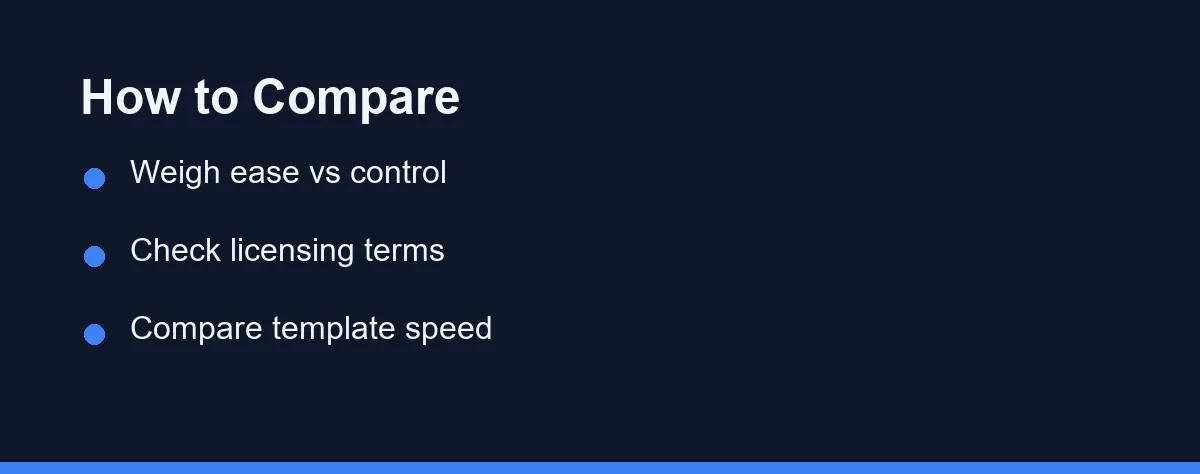
Start with your design comfort level. A drag-and-drop editor suits beginners, while pro controls suit experienced creators. Be honest about how much you want to fiddle.
Licensing matters for anything commercial. Both platforms address commercial use, but terms differ and change. Confirm current rules before using generated images in ads or paid content.
Workflow speed is central for social media. Templates, correct post sizes, and brand consistency save real time. A tool that fits your posting rhythm wins in practice.
Finally, weigh integration with your other tools. Firefly connects to the Adobe suite, while Canva is a self-contained hub. For a broader view, see our roundup of the best AI image generators.
Three Ways Creators Split the Work
Each tool fits a different social creator. The paths below show where each earns its place. Treat them as starting points, not strict rules.
Canva AI for Speed
Canva AI is the stronger pick for fast, consistent posting. You start from a template, generate or drop in visuals, and export in the right size. The whole flow stays in one simple place.
The trade-off is deep control. Canva favors ease over granular editing. For highly custom art, it can feel limiting.
Adobe Firefly for Control
Firefly is the better choice when quality and control matter most. Its generative features give finer results and options. Paired with Adobe tools, it supports advanced workflows.
The catch is the learning curve. Firefly assumes more comfort with design software. For quick one-off posts, that power can be overkill.
Using Both
Some creators use both for different jobs. Firefly generates or refines the hero image, and Canva handles layout and sizing. This pairing blends control with speed.
Together they cover both craft and output. For editing existing photos rather than generating, see our guide to the best AI photo editors.
Ease Against Control, Row by Row
The table below summarizes how Canva AI and Firefly compare for social media. Use it as a quick reference, not the final word. Always confirm current details on the official sites.
| Feature | Canva AI | Adobe Firefly |
|---|---|---|
| Ease of use | Very high | Moderate |
| Creative control | Moderate | High |
| Templates and sizes | Extensive | Limited |
| Adobe integration | No | Yes |
| Text and layout tools | Built in | Needs Adobe apps |
| Generative fill and edits | Basic | Strong |
| Learning curve | Gentle | Steeper |
| Best for | Fast social posts | Refined, custom visuals |
| Free tier | Yes, with limits | Yes, with limits |
Canva leads on speed and beginner friendliness. If you post often and want consistency, it fits your rhythm. The templates do much of the work.
Firefly counters with control and professional integration. For polished, custom images, it goes further. The trade is a steeper learning curve.
Skill, Licensing, Volume, Then a Trial

Begin by judging your design skill honestly. Beginners usually thrive in Canva, while experienced designers prefer Firefly. Match the tool to your comfort.
Next, confirm the licensing you need. If images will appear in paid promotions, check commercial terms on each site. Do this before you build a campaign around them.
Then consider your posting volume. High-frequency social work rewards Canva’s templates. Occasional hero visuals may justify Firefly’s control.
Finally, try both free tiers on a real post. Hands-on use reveals which fits your flow. You can also compare more options in our best AI image generators guide.
Who Should Pick Canva or Firefly
Neither tool wins outright, but each clearly wins certain jobs. Use these direct picks as a shortcut.
- Best for daily social posting: Canva AI, because templates, correct sizes, and brand kits keep a whole feed consistent.
- Best for polished, custom hero images: Adobe Firefly, especially paired with Photoshop’s generative fill.
- Best for total beginners: Canva AI, since the drag-and-drop editor needs no design background.
- Best for existing Adobe subscribers: Adobe Firefly, which adds value to tools you already pay for.
- Best for commercially cautious work: Adobe Firefly, which emphasizes content designed to be commercially safer, though you must still confirm current terms.
Bundled Plans Versus Generative Credits
Pricing for both tools shifts often, so treat any figure as a moving target. Each offers a free tier and paid upgrades. Always confirm current prices on the official Canva and Adobe sites.
The table below shows approximate figures at the time of writing. They are rough ranges for planning, not quotes.
| Plan | Canva | Adobe Firefly |
|---|---|---|
| Free tier | Yes, with watermark-free basics and limits | Yes, with a monthly generative credit allowance |
| Entry paid | Canva Pro around $13-15/mo (confirm current pricing) | Firefly plan around $10/mo for more credits |
| Bundled route | AI folded into Pro and Teams plans | Included with Creative Cloud subscriptions |
| Billing note | Cheaper on annual billing | Credits reset monthly, can be topped up |
Canva bundles AI features into its broader plans, which many social creators already use. That can make it cost-effective if you live in Canva. Free limits cover light use.
Firefly ties into Adobe’s ecosystem and generative credits. For existing Adobe subscribers, it adds value to tools they own. Standalone use has its own limits and costs.
Compare the total cost against your workflow. Paying for a suite you already use is efficient. Adding a second tool only pays off if it fills a real gap.
Traps That Cost Creators Time
Creators trip up with AI image tools in a few common ways. Avoiding them saves time and protects your brand.
Do not ignore licensing before commercial use. Terms differ and change, so confirm each tool’s rules for ads and paid posts. Assuming coverage can cause real problems.
Do not overuse generic AI visuals. Audiences quickly notice samey, obviously generated images. Blend AI with brand elements to keep posts distinctive.
Do not skip the correct post sizes. Wrong dimensions get cropped awkwardly on each platform. Canva’s presets help avoid this.
Do not judge either tool from one attempt. Prompts and settings take practice. Try several before deciding which fits your style.
Getting Better Results from Either Tool
Good output depends as much on your process as on the tool. A few habits lift the quality of both Canva AI and Firefly.
Write specific prompts. Name the subject, style, mood, and lighting, since vague requests produce generic images in either app.
Generate several options before choosing. The first result is rarely the best, so create a small batch and pick the strongest.
Refine rather than restart. Adjust the prompt or use editing tools to fix one detail, instead of regenerating from scratch every time.
Blend AI with your brand. Add your fonts, colors, and logo in Canva so posts stay recognizable rather than obviously machine-made.
A Speed Tool and a Craft Tool
Strip away the marketing and the choice is simple. Canva AI is a speed tool for people who post often and do not want to think about design. Firefly is a craft tool for people who want to shape every pixel.
If your week is a stream of posts, stories, and quick graphics, Canva’s templates will disappear into your routine and save real hours. If your work leans on custom hero images, retouching, and the wider Adobe suite, Firefly’s control is worth the steeper curve.
For many creators the honest answer is both: generate or refine in Firefly, then lay out and size in Canva. That pairing covers craft and output without forcing a single compromise.
Whichever you pick, confirm the commercial licensing before anything runs in a paid campaign, and keep your brand voice front and center. To weigh more options first, see our roundup of the best AI image generators or, for touching up real photos, the best AI photo editors.
FAQ
Is Canva AI or Adobe Firefly better for social media?
Canva AI is easier for non-designers making social posts fast, since it lives inside a simple drag-and-drop editor. Adobe Firefly offers deeper control and integrates with professional Adobe tools. Your skill level and workflow decide the better fit.
Which is safer for commercial use?
Both aim to use commercially safe training data, but terms change and vary by plan. Firefly emphasizes content designed to be commercially safe, while Canva outlines usage in its terms. Always confirm current licensing on each official site before commercial use.
Which is faster for making social posts?
Canva includes templates, scheduling-friendly sizes, and brand kits that speed up social workflows. Firefly gives stronger generative control but leans on the wider Adobe suite for layout. For quick posts, Canva usually wins on speed.
Can I use Canva AI and Adobe Firefly together?
Yes. A common workflow is generating or refining a hero image in Firefly, then dropping it into a Canva template for sizing, text, and branding. This pairs Firefly's control with Canva's speed, and both offer free tiers to test the flow.
Do Canva AI and Firefly limit how many images I can generate?
Firefly runs on a credit system for generations, so heavy use can hit monthly limits on lower plans. Canva bundles AI into its broader plans with its own usage caps. Confirm the current credit and generation limits on each official site.
Sources
- Adobe Firefly: compare plans that include generative AI — checked 2026-09-27
Some links may be affiliate links. We may earn a commission at no extra cost to you.
This article was written with AI assistance. It is researched and fact-checked, not based on personal hands-on testing unless explicitly stated.
Comments
Post a Comment