One Seat Budget, Two Assistants
Small businesses rarely have the budget to license two AI assistants. Yet ChatGPT and Microsoft Copilot both promise to save your team hours every week, and the marketing sounds nearly identical.
The two tools are built on different assumptions. ChatGPT is a general assistant you go to with a question or a task. Copilot is an assistant embedded in the software your team already opens every morning.
That structural difference matters more than any feature list. It decides whether the tool fits your existing workflow or asks your staff to change how they work.
This comparison focuses on the small business case specifically: a handful of seats, no dedicated IT staff, and a real need to justify the monthly cost. We look at integration, everyday tasks, rollout, and where each one falls short.
The Answer Is Usually Your Office Suite

Choose Microsoft Copilot if your business already runs on Microsoft 365. Choose ChatGPT if your team works across mixed tools and wants a flexible assistant for writing, research, and analysis.
Copilot’s advantage is location. It appears inside Word, Excel, Outlook, and Teams, and it can draw on the documents and email your business has already accumulated.
ChatGPT’s advantage is range. It handles drafting, summarizing, brainstorming, coding help, and data questions in one interface, without caring which office suite you use.
For a team on Google Workspace, Copilot loses most of its edge immediately. For a team whose entire operation is Excel workbooks and Outlook threads, Copilot’s context access is hard to match.
Both are priced per seat per month, so cost scales with headcount. Confirm current pricing and plan tiers on the official site, as of 2026. Our best AI tools for small business roundup covers adjacent options.
Where Your Work Actually Lives
Start with where your work actually lives. If your contracts, proposals, and reports are Word files in SharePoint or OneDrive, an assistant that reads them in place removes a lot of copying and pasting.
Look at the specific tasks that eat your week. Drafting client emails, cleaning spreadsheets, summarizing long threads, and writing proposals each favor different strengths.
Check the plan tier carefully, because both vendors sell consumer and business versions with different data handling. The business tier is what you want for anything involving client information.
Consider who will use it. A five-person team with mixed technical comfort needs a tool that works without prompt engineering skill, which favors the embedded approach.
Weigh the switching cost of adoption. Copilot asks staff to notice a button in software they already know, while ChatGPT asks them to open a separate tab and build a new habit.
Think about administration. Business plans include admin controls for adding and removing seats, which matters when someone leaves and you need access revoked quickly.
Finally, be realistic about output quality expectations. Both tools produce solid first drafts and neither produces finished client work without review. Budget the review time in your calculations.
Three Situations Small Businesses Fall Into
The right answer depends less on the tools and more on your existing stack. Here are the three situations small businesses fall into.
The Microsoft 365 Business
If your team already pays for Microsoft 365 and works in Word, Excel, Outlook, and Teams, Copilot is the natural fit. It reads the files and mail you already have, so context comes for free.
The Excel and Outlook integrations tend to deliver the clearest wins. Summarizing a long email thread or asking a workbook a plain-language question saves real time without teaching anyone new software.
The trade-off is that Copilot’s usefulness drops sharply outside the Microsoft suite. If half your work happens in other tools, you are paying for integration you cannot use.
The Mixed-Stack or Google Workspace Business
If your team uses Google Workspace, Slack, and a mix of web tools, ChatGPT is the more sensible pick. It does not assume any particular office suite.
It handles the general knowledge work small businesses need most: drafting, editing, summarizing pasted content, and answering research questions. File uploads cover the document cases well enough for many teams.
The cost is manual context. You paste or upload what the assistant needs, which adds friction that Copilot avoids inside Office.
The Content and Marketing Heavy Business
If most of your AI use is writing, brainstorming, and content production, ChatGPT tends to feel more capable and flexible. Custom instructions let you set tone and style once for the whole team.
For businesses producing regular marketing content, that consistency matters. Our Jasper vs Copy.ai comparison covers the dedicated marketing alternatives.
Copilot can write too, but its strength is drafting inside a document you already started rather than generating content from a blank page.
Side by Side on Access and Habit

| Factor | ChatGPT | Microsoft Copilot |
|---|---|---|
| Primary form | Standalone chat assistant | Embedded in Microsoft 365 apps |
| Best fit | Mixed stack, Google Workspace teams | Teams already on Microsoft 365 |
| Document access | Upload files manually | Reads existing OneDrive and SharePoint files |
| Email handling | Paste the thread in | Works inside Outlook directly |
| Spreadsheet work | Upload and analyze | Works inside Excel on the live workbook |
| Meeting support | Paste a transcript | Summarizes Teams meetings natively |
| Learning curve | New habit and separate tab | Button inside familiar apps |
| Content creation | Strong and flexible | Solid, more document-centric |
| Billing | Per seat, business tier available | Per seat, add-on to Microsoft 365 |
Audit Ten Tasks, Then Pilot Three Seats
Begin with an honest audit of where your team spends its hours. Open a blank page and list the ten tasks that consume the most time each week.
If seven of those ten happen inside Word, Excel, Outlook, or Teams, the decision is effectively made. Copilot removes the friction those tasks share.
If the list scatters across web apps, client portals, and Google Docs, ChatGPT is the safer investment. It stays useful no matter which tool you open next.
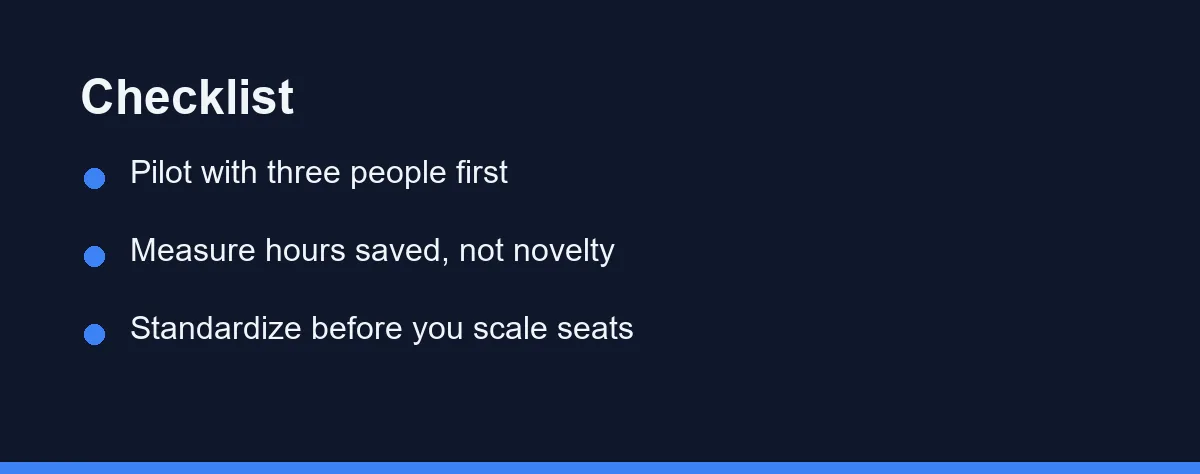
Run a pilot rather than buying seats for everyone. Give three people access for one billing cycle and ask them to log what the tool actually saved them.
Measure hours saved instead of enthusiasm. Novelty produces high usage in week one and a quiet cancellation in month three, so look at week six numbers.
Standardize once you decide. A team where everyone uses the same assistant develops shared prompts and habits, which compounds the value more than mixing tools does.
Buying Seats Before Validating Fit
The biggest mistake is buying seats for the whole team before anyone has validated the fit. Per-seat pricing turns an untested guess into a recurring cost.
Another is ignoring the plan tier. Rolling out a consumer subscription for client work skips the commercial data protections that business plans include.
Some teams also expect finished work. Both tools produce drafts that need review, and businesses that skip review eventually send something embarrassing to a client.
Choosing Copilot without a Microsoft 365 foundation is a common and expensive misstep. Its main advantage simply does not apply outside that ecosystem.
Finally, many small businesses never train anyone. An hour of shared practice writing prompts returns more value than upgrading to a higher tier.
What a Realistic First Month Looks Like
Most failed rollouts fail in the first month, so it helps to plan that month deliberately. The goal is evidence, not enthusiasm.
Week one is setup and a narrow scope. Pick three people and two tasks, such as drafting client emails and summarizing long threads, and ignore everything else the tool can do.
Week two is where prompts get shared. Have the pilot group paste their best working prompts into a single shared document, because that document becomes your real training material.
Week three tests the harder cases. Ask the group to try the tasks they assumed would not work, since that is where you learn the actual boundary.
Week four is the decision. Compare logged time savings against the per-seat cost for the full team you would license.
Keep the log simple. A shared sheet with the task, minutes saved, and whether the output needed heavy editing tells you everything you need.
Expect a dip in week three. Novelty fades and real limitations appear, which is precisely the signal you want before committing budget.
Tasks Where Both Tools Disappoint
Setting expectations correctly prevents most of the frustration small teams report. Some jobs are simply not a good fit yet.
Neither tool reliably handles anything requiring current, verifiable facts about your specific market. Treat any figure, date, or citation it produces as unverified until you check it.
Client-ready output is another gap. Both produce competent drafts that still need a human pass for tone, accuracy, and the details only you know.
Complex spreadsheet logic remains uneven. Copilot handles plain-language questions about a workbook well, but intricate multi-step modeling still benefits from someone who knows the data.
Anything involving confidential client information deserves caution regardless of tier. Confirm what your business plan permits before pasting sensitive material.
Highly specialized domain work also disappoints. The more your industry vocabulary diverges from general business language, the more editing each draft needs.
Knowing these limits up front changes the rollout conversation. Teams that expect a capable drafting assistant stay satisfied, while teams expecting a finished-work machine cancel by month three.
Per Seat, Plus the Subscription Underneath
Both tools are sold per user per month, with business tiers that add administrative controls and commercial data protection. Confirm current pricing on the official site, as of 2026.
Copilot is an add-on to an existing Microsoft 365 subscription, so the total cost includes both. As of September 2026, Microsoft lists Microsoft 365 Copilot Business at $21 per user per month, paid yearly, on top of a qualifying Microsoft 365 plan. A promotional $18 first-year price runs through December 31, 2026. Factor that combined figure into any comparison.
ChatGPT business plans are standalone, which makes the arithmetic simpler for teams not already paying Microsoft. Free and consumer tiers exist but lack the business protections.
The real cost question is seats, not sticker price. Ten seats of anything adds up quickly, which is why a three-person pilot is the cheapest way to find out what you need.
Who Should Pick Copilot Over ChatGPT
The accounting or operations team living in Excel: Copilot is the clear pick, because plain-language questions against a live workbook remove work no standalone chat tool can reach. Uploading a spreadsheet to ChatGPT works, but it breaks the moment the file changes. Budget for the Microsoft 365 subscription underneath, not just the add-on.
The agency or consultancy on a mixed stack: ChatGPT fits better, since your week scatters across client portals, Google Docs, Slack, and research. Its value does not depend on any office suite, and custom instructions let the whole team share one tone and format. Copilot’s proximity advantage simply never triggers here.
The five-person team with mixed technical comfort: Lean toward Copilot if you are already on Microsoft 365, because a button in familiar software gets used and a separate tab does not. Adoption, not capability, is what kills small business rollouts. Whichever you choose, run one shared hour of prompt practice before buying seats for everyone.
The marketing-heavy business producing content weekly: ChatGPT is the stronger generalist for blank-page work, brainstorming, and repurposing. If output volume is high enough that brand consistency becomes a chore, look at a dedicated marketing tool alongside it. Copilot writes competently but is built to continue a document rather than start one.
The team that cannot justify the cost yet: Pilot three seats of one tool for a single billing cycle and log minutes saved per task. If week six still shows real savings against the per-seat price for your full headcount, buy; if usage has quietly stopped, you saved yourself a year of recurring spend. Do not license both to avoid deciding.
Proximity Versus Flexibility
This choice is mostly settled by your existing software rather than by the assistants themselves. Copilot’s value comes from proximity to your files, and ChatGPT’s comes from flexibility across everything else.
If your business runs on Microsoft 365, start with Copilot and let the Outlook and Excel integrations prove themselves. If your stack is mixed, ChatGPT will stay useful longer.
Either way, pilot with a few people before committing the whole team. Per-seat pricing punishes guesswork, and six weeks of real usage tells you more than any feature comparison.
The teams that get value from these tools are the ones that pick one, train on it briefly, and use it for the same handful of tasks every week. Standardizing beats collecting subscriptions.
Both of these sit on the paid side of a decision most teams make earlier. Free versus paid AI tools for a small business covers the point where a free tier stops carrying real work.
Before the seats go live, settle what people may paste into either tool and who checks the output. How to write an AI use policy for a small team turns that into a page of defaults you can adapt in an afternoon.
FAQ
Does a small business need both ChatGPT and Microsoft Copilot?
Not usually, because they overlap heavily for everyday writing and analysis. Most small teams pick one and standardize on it. The exception is a business that lives in Microsoft 365 for documents but also wants a general assistant for research and content, where some staff use both. Start with one for a full billing cycle before adding the second.
Which one works better with existing company documents?
Copilot has the structural advantage, because it sits inside Word, Excel, Outlook, and Teams and can reference your existing files and mail. ChatGPT can work with documents you upload, but it does not live inside your file system by default. If your work product is mostly Office documents, that difference is the deciding factor.
Is business data safe in either tool?
Both vendors offer business tiers with commercial data protection, which is the setting that matters. Consumer and free tiers have different data handling than paid business plans. Before rolling either one out, read the current terms for the specific plan you are buying on the official site rather than assuming the consumer policy applies.
How much training does a small team need before either tool pays off?
Very little, which is the point of Copilot. It appears as a button inside apps your staff already open, so the habit change is small. ChatGPT asks people to open a separate tab and remember it exists, which sounds trivial but is where most small team rollouts quietly stall.
Is Microsoft Copilot worth it if the business runs on Google Workspace?
Copilot loses most of its advantage there, because its edge is reading the Word, Excel, and Outlook content your business already stores. On Google Workspace you would be paying for integration you cannot use, so ChatGPT or Google's own assistant makes more sense. Check what your Workspace plan already includes first.
Sources
- Microsoft 365 Copilot: Plans and Pricing — checked 2026-09-27
Some links may be affiliate links. We may earn a commission at no extra cost to you.
This article was written with AI assistance. It is researched and fact-checked, not based on personal hands-on testing unless explicitly stated.
Comments
Post a Comment