Reclaim.ai’s free Lite plan is enough if you plan one week at a time, because that is as far ahead as it schedules. Once your deadlines sit two or more weeks out, or a teammate needs the same setup, Starter is the fix. It schedules 8 weeks ahead and costs $10 a seat a month on yearly billing, which is $120 a year for one person.
Everything else on the pricing page matters less than that one line, so start there.
What the One-Week Range Actually Limits
The Reclaim pricing page defines the scheduling range as the future time range for automated scheduling. Lite gets 1 week, Starter 8 weeks, and Business and Enterprise 12 weeks.
That range covers the things Reclaim moves around for you, such as habits, task blocks and flexible meetings. It does not apply to Scheduling Links, so a booking page on Lite can still offer slots further out.
For routines the short range rarely hurts. A daily focus block or a lunch habit only ever needs this week. Projects are different, because the useful moment to find time for one is well before the due date.
A Three-Week Deadline on Lite and on Starter

Here is a worked case with assumed numbers. A freelancer has a 30-hour project due 15 workdays from today and wants Reclaim to reserve 2 hours a day for it.
On Lite, the calendar can see 7 days ahead, which is 5 workdays. Reclaim can place 5 × 2 = 10 hours today. The other 20 hours, two thirds of the project, are not on the calendar yet. They only start appearing as each new day rolls into range, so if a client books calls into week three, the freelancer finds out in week two.
On Starter, the range is 56 days. All 15 workdays fit, and all 30 hours go on the calendar at once. If week three is already full, the shortfall shows today, while there is still time to move a call or ask for a later deadline.
The same arithmetic tells you when Lite is enough. If your typical task is due within 5 workdays, Lite sees the whole thing and Starter adds little range you would use.
What Each Plan Costs for One Person and for a Team
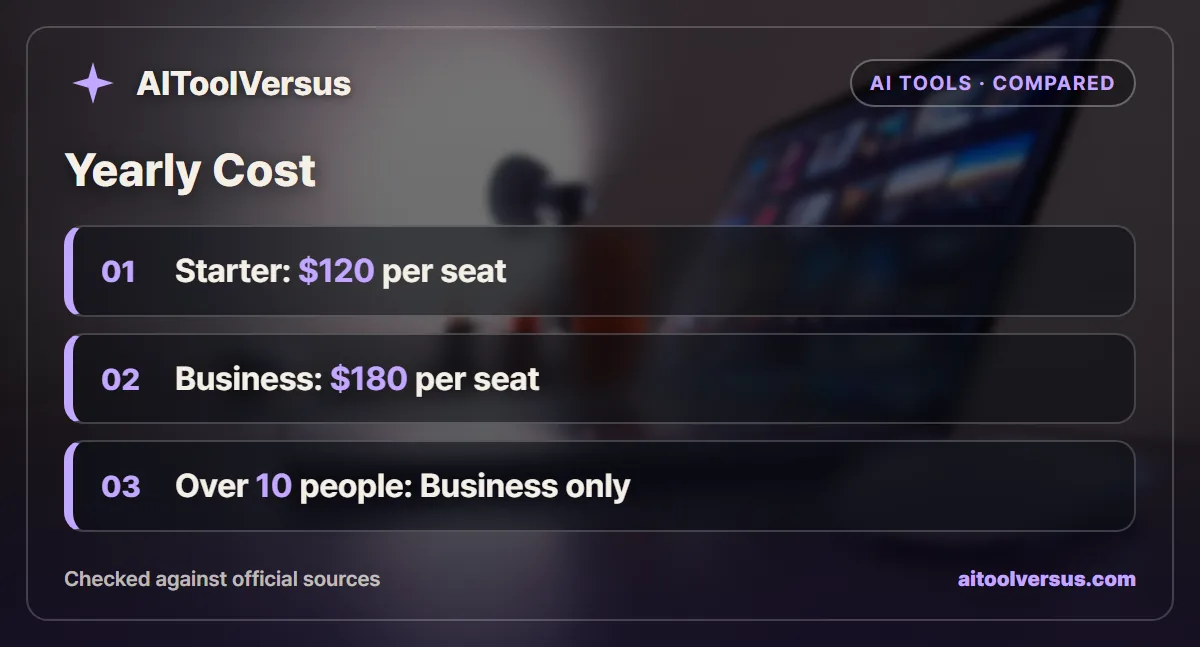
Prices on the pricing page are per seat per month. Yearly billing is labelled as a 20% saving.
- Starter: $10 yearly or $12 monthly. Over a year that is $120 against $144, so yearly billing saves $24.
- Business: $15 yearly or $18 monthly, which is $180 against $216 a year.
- Enterprise: $22 a seat, yearly only.
Seat caps decide which plans a team can even consider. Lite is a 1-user plan, Starter goes up to 10 seats, Business up to 100, and Enterprise is for teams over 100. Multiplying the yearly prices by 12 months and by team size gives these annual costs:
| Team size | Starter, yearly billing | Business, yearly billing | Plans available |
|---|---|---|---|
| 1 person | $120 | $180 | Lite, Starter, Business |
| 5 people | $600 | $900 | Starter, Business |
| 10 people | $1,200 | $1,800 | Starter, Business |
| 12 people | Not available | $2,160 | Business only |
The jump at 11 people is the one to plan for. A team that grows from 10 to 12 moves from $1,200 a year on Starter to $2,160 on Business, because Starter stops at 10 seats.
The Smaller Limits That Can Still Force an Upgrade
Range is the main difference, but a few counts on Lite can push you to pay sooner.
Booking links. Lite includes 1 Scheduling Link. Starter has 3, and Business and Enterprise have unlimited links. A consultant who wants separate pages for discovery calls and client check-ins runs out on Lite.
Task apps. Lite supports Google Tasks, Slack, Zoom and Google Meet. Todoist, Asana, ClickUp, Jira and Linear need a paid plan. If your to-do list lives in one of those, Lite cannot pull your tasks in at all, which matters more than the range. Business and Enterprise add webhooks.
AI Agents and organizer meetings. Lite has 5 of each. Starter has 10 AI Agents per seat and 10 organizer meetings, and Business has 100 of each.
Calendar syncs. Lite includes 1. For Starter, the plan card says 3 while the comparison table on the same page says unlimited. If you sync several work and personal calendars, ask Reclaim which figure applies before you rely on either.
Checking Whether Lite Covers Your Calendar
Lite is labelled free forever, so you can measure your own case before paying.
Look at your last month of work and count how many tasks were due more than 5 workdays after you knew about them. If the answer is close to zero, Lite’s range is not your problem. If most of your work looks like the three-week project above, the 8-week range is the reason to pay.
Then check the two hard blockers: a task app outside the Lite list, or a team of more than one person. Either one settles the question regardless of range. Our list of AI tools for freelancers puts Reclaim next to other tools a solo worker might pay for. For options without a subscription, see free AI tools.
Prices and limits here are from the Reclaim pricing page as checked on November 21, 2026. Plan details change, so confirm on the official page before you subscribe.
Sources
- Reclaim.ai Pricing — checked 2026-11-21
Some links may be affiliate links. We may earn a commission at no extra cost to you.
How this article was made: it was drafted with AI assistance from the official sources listed above, and its figures were checked against those pages on the dates shown. It is not based on personal hands-on testing.
Comments
Post a Comment