Where A Consultant’s Hours Actually Go
Start with a meeting assistant such as Otter.ai, then add one writing tool, and leave research and automation for last. If you spend most days on client calls, the meeting assistant pays back first. If proposals eat your week, pick the writing tool first instead. Either way, check each tool’s data terms before any client material goes in.
Consulting runs on time, and time is always short. Calls, proposals, research, and follow-ups fill the calendar fast.
Look at last month’s calendar before you look at any tool. Most independent consultants find the same three sinks: talking to clients, writing things down for clients, and chasing what happens next.
AI can shoulder the repetitive edges of all three. It cannot shoulder the advice, which is the part clients actually pay for.
This guide follows that shape rather than a leaderboard. Each section takes one part of the consulting day and names the tools built for it, so you can stop after the first one that helps.
Build The Toolkit In This Order

Order matters more than brand choice here. Adopting three tools in one week guarantees you learn none of them properly.
Start with a meeting assistant such as Otter.ai or Fireflies.ai. It captures notes so you stay present on calls, and that alone can save hours each week.
Add a writing tool second, whether that is ChatGPT, Claude, or a dedicated drafting tool like Jasper. It turns a blank page into a solid first draft you refine.
Research and automation come third, once the basics prove their worth. Perplexity, Google NotebookLM, Zapier, and Make all sit in this tier.
Our best AI meeting assistants guide compares options in that first category in more detail.
Meeting Capture: Staying Present On Client Calls
If your day is full of client calls, this is where to begin. A meeting assistant records, transcribes, and summarizes so you stay engaged rather than typing.
Otter.ai and Fireflies.ai are the two names most consultants meet first. Both join calls, produce a transcript, and pull out action items afterwards. Check the free-tier cap before relying on one, since Otter’s free Basic plan stops each conversation at 30 minutes. Its Pro plan costs $16.99 per user per month on monthly billing as of September 2026 and raises that cap to 90 minutes.
The category shortens follow-up time dramatically. You can send a recap while the conversation is still fresh, and that professionalism strengthens client trust.
The trade-off is privacy care. Recording calls means handling sensitive data responsibly, so confirm consent and review data terms before you record anything.
Proposals And Reports: Beating The Blank Page
If you write proposals and reports often, a writing assistant saves hours. It drafts outlines, rephrases sections, and tightens language, while you supply the expertise.
General assistants such as ChatGPT and Claude cover most of this work. Grammarly handles the tightening pass, and Jasper leans toward marketing-shaped output with reusable templates.
Used well, these tools improve consistency across documents. Saved prompts and templates keep your tone steady, which frees energy for the thinking clients pay for.
The catch is over-reliance. AI drafts need your judgment to stay accurate and specific, so always edit for facts, nuance, and client context.
Research And Admin: The Quiet Time Sinks
Pre-engagement research rarely appears on an invoice, yet it eats evenings. A research assistant summarizes long documents and surfaces key points so you start faster.
Perplexity is built around sourced answers, and Google NotebookLM works against documents you upload yourself. You still verify everything, but the first pass shrinks.
Automation removes the other quiet sink, which is admin. Zapier and Make link your calendar, email, and forms so scheduling and reminders stop needing your attention. Zapier’s free plan allows 100 tasks a month, and its Professional plan starts at $29.99 per month on monthly billing as of September 2026.
Setup is the honest cost here. An automation takes an hour to build and then saves five minutes forever, so only automate what recurs. Our best AI tools for freelancers guide covers overlapping options for solo work.
Client Confidentiality Is The Real Constraint
Consultants face a limit that most AI buying guides skip. The interesting material is usually somebody else’s confidential information.
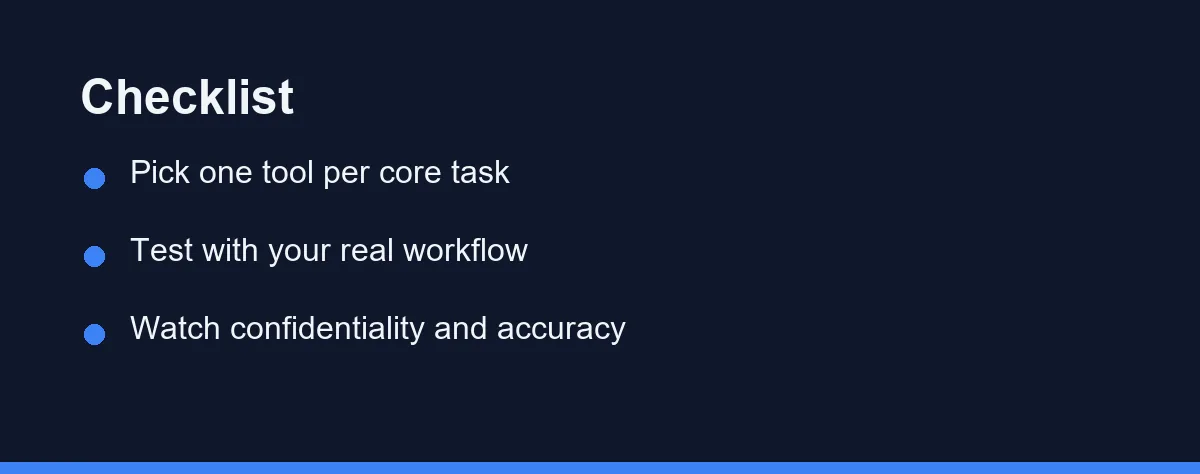
Review each tool’s data terms before pasting anything sensitive. Look specifically for whether your inputs train the vendor’s models, and whether an enterprise or zero-retention option exists.
Recording is a second exposure. Meeting assistants store audio and transcripts, so check retention settings and delete recordings you no longer need.
Accuracy is the third. Verify every figure, date, and claim before it reaches a client, because a confidently wrong number damages more than a slow reply.
Write your own one-page rule for this and reuse it. Deciding once which tools may touch client data is far easier than deciding under deadline.
Category Comparison And What To Watch

The table compares the categories rather than individual prices. Confirm current details on each official site, as of 2026.
| Category | Main job | Example tools | Best for | Watch out for |
|---|---|---|---|---|
| Meeting assistant | Capture and summarize calls | Otter.ai, Fireflies.ai | Call-heavy consultants | Recording consent and privacy |
| Writing tool | Draft proposals and reports | ChatGPT, Claude, Jasper | Document-heavy work | Accuracy and generic tone |
| Research assistant | Summarize and gather context | Perplexity, NotebookLM | Pre-engagement prep | Verifying every fact |
| Automation helper | Remove repetitive admin | Zapier, Make | Scheduling and follow-ups | Setup time upfront |
| Note-taking app | Organize ideas and notes | Notion AI, Obsidian | Ongoing knowledge | Scattering across tools |
The pattern is clear once you read it. Each category targets a different part of the consulting day, and a few of them together cover most repetitive work.
That is why you should pick one tool per task rather than many. Start where you lose the most time, then expand. Our chatgpt vs claude vs gemini guide helps if you want a single general assistant for several of these jobs.
What A Lean Toolkit Costs
Most AI tools for consultants use tiered plans, from free to premium. Confirm the current tiers and prices on each official site, as of 2026.
Expect free plans to cap usage, features, or exports. They are ideal for learning a tool before committing, and a solo consultant can often start at no cost.
Expect paid plans to unlock higher limits and team features. As your client load grows, those limits matter more, so upgrade when a tool clearly saves time or wins work.
Look past the sticker price to time saved. A modest monthly cost can pay for itself in reclaimed hours, and value shows up in faster proposals and cleaner follow-ups.
Watch for stacking subscriptions. Several small fees add up quickly across categories, so keep only the tools you open every week. Our best free AI tools guide helps you judge when a free tier is genuinely enough.
Mistakes That Cost Consultants Money Or Trust
Adopting many tools at once is the most common error. Learning several drains the time you hoped to save, so add them one at a time.
Pasting sensitive client data carelessly is the most expensive. Review privacy and data terms first, because protecting trust matters more than shaving ten minutes.
Trusting AI facts blindly is the most embarrassing. Outputs can contain errors or outdated claims, so verify figures and details before sending them.
Chasing every new launch is the most seductive. Novelty rarely beats a workflow that already works, so change tools only for a clear gain.
Skipping the quarterly review is the quietest. Unused subscriptions drain a budget without ever announcing themselves.
Who Should Start Where
Choosing gets easier when you match the tool to your situation. Here are clear picks for common consultant profiles.
The call-heavy consultant: Start with a meeting assistant such as Otter.ai. It captures notes so you stay present, and follow-ups become faster and more professional.
The proposal-heavy consultant: Start with a writing tool. It turns blank pages into solid drafts, so you refine rather than create from scratch.
The research-driven consultant: Add a research assistant early. Perplexity or NotebookLM will shorten prep, and you still verify before anything reaches a client.
The solo consultant on a budget: Lean on free tiers first. Learn the workflow before paying, and upgrade only when a tool has earned its cost.
The consultant handling regulated client data: Start with the data terms rather than the feature list. A slightly weaker tool with a clear retention policy is the safer buy.
The consultant unsure where to start: Pick the task that costs the most time. Solve that with one tool, and expand only once it sticks.
A Toolkit You Review Every Quarter
The best AI tools for consultants are the few that match your daily work. Meeting assistants and writing tools usually deliver the most time back.
Ask where you lose the most time, and let that answer pick your first tool. Feature lists matter far less than the honest audit of your own calendar.
Then keep the toolkit small on purpose. Review it each quarter, drop what you stopped opening, and resist adding a second tool to a job one already covers.
AI works best as a fast, tireless assistant rather than a replacement for judgment. Confirm current pricing on each official site, and see our guides on the best AI tools for small business and best AI meeting assistants.
FAQ
What types of AI tools help consultants most?
The most useful categories are note-taking and meeting assistants, writing and proposal tools, research assistants, and scheduling or automation helpers. A consultant's day runs on calls, documents, and follow-ups, so tools that capture meetings and speed up writing save the most time. Start with one tool per category rather than many at once. Confirm current features and pricing on each official site, as of 2026.
Which AI tool should a consultant try first?
Many consultants start with a meeting assistant and a writing tool, since those touch daily work. A meeting assistant captures notes so you stay present on calls, and a writing tool speeds up proposals and reports. Add a research or automation tool only once those two save you real time. Building slowly avoids paying for tools you never open.
Are AI tools safe to use for client work?
AI tools are safe for client work when you protect confidentiality and check accuracy. Avoid pasting sensitive client data into tools without reviewing their privacy and data terms. Always verify AI-generated facts, figures, and claims before sending them to a client. Treat AI as a fast first draft, not a final authority.
Can consultants use AI tools for free?
Yes, several tools offer free tiers that suit solo consultants testing the waters. Free plans often limit usage, features, or export, but they let you learn the workflow first. Upgrade only when a tool clearly saves time or wins work. Check the current free limits on each official site, as of 2026.
What can AI not do for a consultant?
AI helps most with drafting, structure, and speed, not with judgment or client relationships. It can outline a proposal, summarize a call, or rephrase a report quickly. It cannot replace your expertise, discretion, or trust with clients. The best results come from pairing AI drafts with your own review and insight.
Sources
- Otter.ai: Pricing — checked 2026-09-27
- Zapier: Pricing — checked 2026-09-27
Some links may be affiliate links. We may earn a commission at no extra cost to you.
This article was written with AI assistance. It is researched and fact-checked, not based on personal hands-on testing unless explicitly stated.
Comments
Post a Comment