Three Coworkers, Different Habits
Three chatbots sit at the top of the pile in 2026, and picking between them is oddly personal. ChatGPT, Claude, and Gemini can all draft, summarize, and reason. Yet they feel different the moment you start typing.
Think of them less as rivals and more as three coworkers with different habits. One is the flexible generalist, one is the careful writer, one already knows its way around your Google account.
This guide compares them the way you would actually use them. You will see how each one behaves, what it costs, and which tasks it handles best.
The goal is not to crown a winner. It is to help you match the right chatbot to the work in front of you.
Generalist, Writer, or Google Native
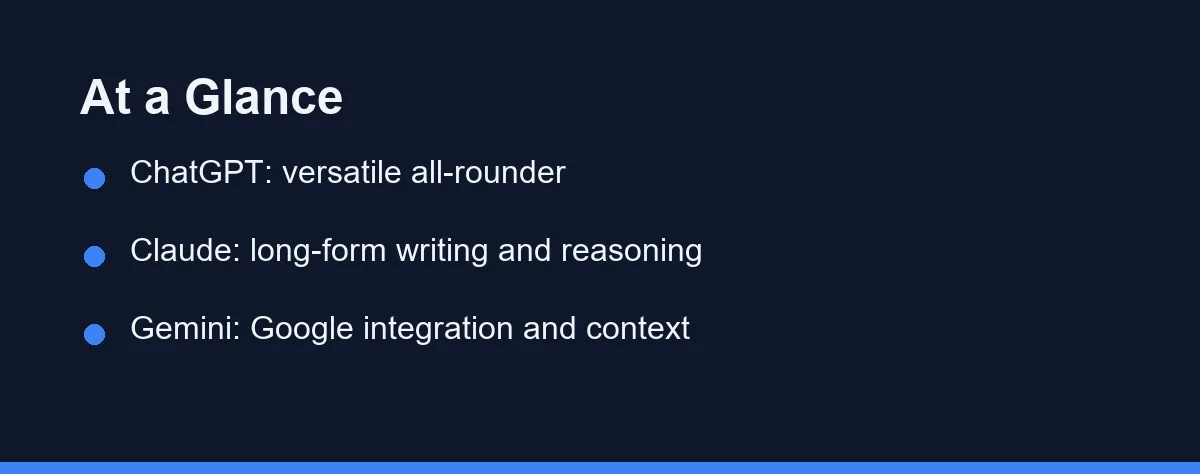
Pick ChatGPT if you want a flexible, do-everything assistant with a huge feature set and a large community.
Pick Claude if your work centers on long documents, nuanced writing, and thoughtful reasoning that stays on topic.
Pick Gemini if you live in Google Workspace and want an assistant tied into Gmail, Docs, and Search.
Many people use more than one, and the comparison table below shows exactly where each chatbot shines.
What Is ChatGPT?
ChatGPT, made by OpenAI, is the chatbot that brought generative AI to the mainstream. It is the most widely recognized option in 2026.
It handles a wide range of tasks, from drafting emails to coding help, image generation, and voice conversations. A large library of custom GPTs and plugins extends what it can do.
Its biggest strength is versatility. Whatever the task, there is usually a way to get ChatGPT to help with it.
For most newcomers, it is the easiest starting point because so many tutorials and templates already exist.
What Is Claude?
Claude, built by Anthropic, is known for clear writing and careful, grounded reasoning. It tends to follow instructions closely and stay focused.
It handles long documents well, which makes it popular for editing reports, summarizing research, and refining tone across many pages. Writers and analysts often favor it for this.
Claude also has a reputation for thoughtful, measured answers. It is less likely to wander off topic during a long exchange.
If your work is writing-heavy, Claude often feels like the most natural collaborator of the three.
What Is Gemini?
Gemini, from Google, is designed to work hand in hand with Google products. If you already use Gmail, Docs, and Drive, it slots in naturally.
It connects to Google Search for fresh information and can pull context from your Workspace files when you allow it. This tight integration is its signature advantage.
Gemini is also strong with large amounts of context, handling big inputs in a single pass. That helps when you feed it long files or many sources at once.
For Google-centric users, it removes friction by living where their work already happens.
Ecosystem, Tone, and Context Compared
The table below summarizes the practical differences for everyday use.
| Feature | ChatGPT | Claude | Gemini |
|---|---|---|---|
| Maker | OpenAI | Anthropic | |
| Best at | Versatile, broad tasks | Long-form writing, reasoning | Google integration, big context |
| Ecosystem | Custom GPTs, plugins | Writing and document focus | Gmail, Docs, Search |
| Tone | Flexible and friendly | Measured and precise | Helpful and factual |
| Live web info | Built-in browsing | Available in many versions | Tied to Google Search |
| Image generation | Yes, built in | Limited, text-focused | Yes, via Google tools |
| Best user fit | General all-purpose users | Writers and analysts | Workspace power users |
| Coding help | Strong and broad | Strong and precise | Solid, Google-tied |
| Long documents | Handles large files | Excellent with very long text | Handles very large inputs |
| Free tier | Yes, capable | Yes, with limits | Yes, in Google apps |
How They Handle Common Tasks

For brainstorming and quick ideas, ChatGPT is a comfortable default. Its broad training and large user base mean plenty of proven prompts exist.
For editing long drafts, Claude often has an edge. It keeps tone consistent across many pages and follows detailed style notes closely.
For research that needs current sources, Gemini benefits from its link to Google Search. It can surface recent information and cite where it came from.
For images and creative visuals, both ChatGPT and Gemini offer generation, while Claude stays focused on text. If visuals matter, see our roundup of the best AI image generators for dedicated options.
Where Each Chatbot Wins and Loses

Every chatbot involves trade-offs. Here is a balanced view for daily work.
ChatGPT strengths
- Extremely versatile across many task types.
- Largest ecosystem of plugins, guides, and templates.
- Strong image and voice features in one place.
ChatGPT trade-offs
- So many features can feel overwhelming at first.
- Quality can vary depending on the model tier you choose.
Claude strengths
- Excellent for long-form writing and editing.
- Stays focused and follows detailed instructions well.
- Handles large documents in a single conversation.
Claude trade-offs
- Fewer built-in extras like image generation.
- Smaller plugin ecosystem than ChatGPT.
Gemini strengths
- Deep integration with Gmail, Docs, and Drive.
- Strong access to fresh Google Search results.
- Handles very large inputs comfortably.
Gemini trade-offs
- Most valuable only if you use Google tools.
- Results can feel less polished for creative writing.
Tips to Get the Best Results
A few habits improve results with any of these chatbots.
Give clear, specific instructions. Instead of “write something,” name the audience, length, and tone you want.
Provide context up front. Paste the relevant text or background so the model is not guessing.
Iterate in small steps. Ask for a draft, review it, then request targeted edits rather than one giant prompt.
Verify important facts. Even strong chatbots can be confidently wrong, so confirm critical details from a trusted source.
Knowing why the confident wrong answer happens makes it easier to spot, and there are tells. We cover them in why AI chatbots make things up.
Free Tiers Plus Twenty Dollar Plans
All three offer a free tier with limits, plus paid plans that unlock stronger models and higher usage. Pricing changes often, so always confirm current numbers on the official pages.
The table below shows approximate pricing tiers at the time of writing. Confirm current pricing on each official site, since plans change often.
| Chatbot | Free tier | Individual paid | Team / business |
|---|---|---|---|
| ChatGPT | Yes, capable | Plus around $20/mo | Team and Enterprise per seat |
| Claude | Yes, with limits | Pro around $20/mo | Team plans per seat |
| Gemini | Yes, in Google apps | Advanced around $20/mo | Workspace business plans |
ChatGPT plan details are listed on the OpenAI website. Claude pricing is on the Anthropic website, and Gemini plans appear on the Google Gemini site.
As a rule, match the plan to how often you rely on the tool. Heavy daily users get more value from a paid tier, while occasional users can start free.
If you are a student watching your budget, our guide to the best AI tools for students covers affordable picks and free options.
Which Should You Choose
If you want one flexible assistant for a bit of everything, ChatGPT is the safe, well-supported choice.
If your work is writing-heavy or involves long documents, Claude will likely feel like the better partner.
If you already live in Google Workspace, Gemini removes friction by working right inside your existing tools.
There is no single winner for everyone. The right pick depends on your tasks, your tools, and your budget.
Using More Than One in Your Workflow
You do not have to commit to a single chatbot. Many people mix them by strength, and the free tiers make that easy to test.
You might use ChatGPT for daily brainstorming and quick answers, then switch to Claude when you need to polish a long report.
When research calls for fresh sources or you are deep in Google Docs, Gemini becomes the natural choice. Each tool covers a different gap.
This split plays to each chatbot’s design. Over a week of real use, you will quickly learn which one earns a paid plan and which ones you keep on the free tier.
Privacy and Data Notes
Each provider handles your data differently, and the defaults matter. Check them before sharing anything sensitive.
Look for a setting that controls whether your chats train future models. All three offer some control, though the labels and defaults vary. Our breakdown of whether an AI tool trains on your data explains how to check those settings tier by tier.
For confidential work, prefer a paid or business tier with clearer data terms. As always, confirm the current privacy policy on the official site.
Which of the Three Fits You
Best for everyday tasks: ChatGPT is the safe default. Its broad feature set covers drafting, quick answers, images, and voice in one place. Beginners also find the most tutorials and templates for it.
Best for long-form writing: Claude holds tone and structure across many pages. It follows detailed style notes closely and stays on topic. Writers and analysts often prefer it for reports and editing.
Best for Google users: Gemini removes friction inside Gmail, Docs, and Drive. It pulls context from your files and taps Google Search for fresh information. If your work already lives in Workspace, it fits naturally.
Best for research with sources: Gemini and ChatGPT both surface current information with citations. Verify the sources, but either can speed up sourced research. Claude is better once you move to writing up the findings.
Best on a budget: All three have capable free tiers worth testing. Run the same task through each for a week before paying. Upgrade only the one you reach for most.
The Question Comes Back to You
The real answer to “which is best” is a question back to you. What do you do most, and where does your work already live?
If that answer is “a bit of everything,” ChatGPT is the comfortable pick. If it is “long documents and careful writing,” Claude will likely feel like home. If it is “Gmail, Docs, and Search all day,” Gemini removes the most friction.
The stakes here are low, which is the best part. Run all three free tiers through a real week of your own tasks. Whichever one you keep opening without thinking is your winner.
One category sits deliberately outside this comparison. If most of your questions are research with sources attached rather than open-ended writing, Perplexity vs ChatGPT covers a genuinely different tool built around citations.
Picking an assistant leaves one decision open, which is the tier you pay for. Anyone studying should read is ChatGPT Plus worth it for students before committing $20 a month to a workload that a cheaper tier may cover.
FAQ
Which AI chatbot is best in 2026?
All three are strong in 2026. ChatGPT is the versatile all-rounder, Claude excels at long-form writing and careful reasoning, and Gemini integrates tightly with Google services and large context.
Can I use ChatGPT, Claude, and Gemini together?
Yes. Many people use ChatGPT for general tasks, Claude for writing, and Gemini inside Google Workspace, since each one has a free tier to test.
Are ChatGPT, Claude, and Gemini free to use?
All three offer free access with limits plus paid plans. Pricing changes often, so check each official site for the current numbers before subscribing.
Which is best for writing, ChatGPT or Claude?
For most long-form writing and editing, Claude tends to hold tone and structure best across many pages. ChatGPT is close and more versatile overall. Try both free tiers on a real document before deciding.
Which chatbot is best for up-to-date research?
Gemini has the tightest link to Google Search and Workspace, so it often surfaces current information smoothly. ChatGPT also offers built-in browsing in many versions. For fresh, sourced answers, both are strong choices.
Sources
- Google Gemini subscription plans (Google AI Plus, Pro, Ultra) — checked 2026-09-27
- Anthropic pricing — checked 2026-09-27
Some links may be affiliate links. We may earn a commission at no extra cost to you.
This article was written with AI assistance. It is researched and fact-checked, not based on personal hands-on testing unless explicitly stated.
Comments
Post a Comment