
Two Tools, Two Different Moments
Meetings eat a huge share of the workweek, and remembering what was said is harder than it should be. AI meeting assistants promise to fix that by recording, transcribing, and summarizing conversations automatically. Two names come up again and again.
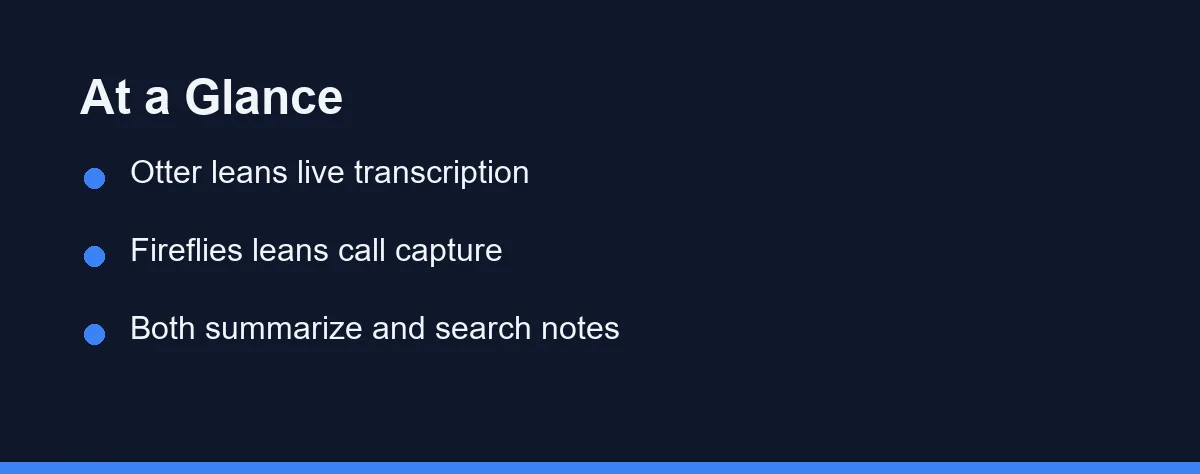
The useful way to separate them is by timing. Otter.ai is strongest during the meeting, and Fireflies.ai is strongest after it.
That single distinction settles most of the decision. Pick Otter.ai for live transcription you watch in the moment, and Fireflies.ai for automated capture you review later.
Many teams run both, splitting by meeting type rather than forcing one tool everywhere. Our roundup of the best AI meeting assistants places both among the leaders.
What Otter.ai Is Built Around
Otter.ai built its reputation on fast, accurate live transcription. It turns a spoken meeting into readable notes you can follow as the conversation happens.
The live view is the product. You read along, highlight moments as they land, and leave the call with the important parts already marked.
That suits a specific person: the one who attends every meeting and treats the transcript as a live aid rather than an archive. Interviews, lectures, and one-on-ones fit this shape naturally.
Otter.ai also offers shared notes with a strong live-editing feel, plus calendar integration that pulls meetings in automatically. The transcript itself stays the hub.
Its weakness is coverage. If half your meetings happen without you, a tool designed around your presence leaves gaps. Our guide to the best AI transcription tools covers the live-capture use case more broadly.
What Fireflies.ai Is Built Around
Fireflies.ai took the opposite angle. It sends a bot to join your calls, captures the conversation across many platforms, and files searchable summaries afterward.
You do not have to lift a finger during the call, or even attend it. That hands-off flow is why sales teams, agencies, and double-booked managers gravitate toward it.
The emphasis on search matters as the library grows. A transcript you cannot locate three months later adds almost nothing, and organizing many captured calls is where this tool spends its effort.
Fireflies.ai also leans heavily into pushing summaries and action items into collaboration and CRM systems. For a team, that outbound flow often matters more than transcript quality.
The trade-off is relying on a bot to represent you rather than taking notes yourself. It also puts a visible third party in every room you record.
Head to Head, Including the Integrations

The table below summarizes how the two compare on the factors that decide most purchases.
| Factor | Otter.ai | Fireflies.ai |
|---|---|---|
| Core strength | Polished live transcription | Automated call capture |
| Best moment | During the meeting | After the meeting |
| Bot on calls | Available, but live-first | Central to the design |
| Platform coverage | Major video platforms | Broad platform support |
| Summaries | Clear, note-focused | Searchable, action-focused |
| Collaboration | Shared notes and highlights | Team folders and search |
| Ideal user | People who attend meetings | People who cannot attend all |
| Pricing model | Free tier plus paid plans | Free tier plus paid plans |
Integrations deserve more weight than most buyers give them. For a team, the deciding factor is usually where the notes end up rather than how clean the transcript reads.
Fireflies.ai pushes summaries and action items outward into Slack, Notion, and CRM systems. Otter.ai centres on shared notes and calendar integration, with the transcript as the destination rather than a staging post.
Integration availability frequently depends on the plan tier. Verify that the specific connection you need is included before you subscribe, since discovering it sits one tier up is an expensive surprise.
Platform coverage is the other hard gate. Confirm your video tools are supported, because a tool that misses Zoom, Google Meet, or Teams as you use them is a non-starter regardless of everything else.
The Bot in the Room: Consent and Etiquette
Treat notice as the default, both legally and socially. This is the part of the decision that has nothing to do with features.
Recording consent rules vary by country and by state, and some jurisdictions require every participant to agree rather than just one. A bot silently joining a client call is a genuine risk, not a theoretical one.
Fireflies.ai makes the bot visible as a participant, and Otter.ai surfaces a recording indicator. A visible bot is still not the same thing as informed consent.
So say it out loud at the start of the call. Ten seconds of announcement prevents an awkward discovery later, and it costs you nothing.
Check your own company policy alongside the law, and confirm the current data-handling terms on each official site before recording anything sensitive. External calls deserve more caution than internal ones.
Free Tiers, Seats, and Testing on Real Calls

Both tools use a freemium model, with a free tier that limits monthly transcription and features, then paid plans for heavier use. Confirm current pricing on each official site, since these tiers shift regularly.
Otter.ai’s plans generally scale by transcription minutes and advanced features. Light users may fit inside the free tier, while frequent users move to a paid plan.
Fireflies.ai’s plans scale by usage and team capabilities, reflecting its automated capture focus. Teams recording many calls will weigh per-seat costs carefully.
Watch for limits on integrations and storage on lower tiers, because features you rely on may sit behind a higher plan. Think in terms of value per meeting rather than the monthly fee alone.
Then test both free tiers on your own calls, with your accents, jargon, and audio setup. Published accuracy claims mean little next to a week of your real meetings, and the trial costs nothing but setup time.
Pay attention to two things during that week. How each tool handles crosstalk, which is where transcription quality genuinely separates, and how quickly you can find a specific moment from a call three days old.
Search is the feature buyers underrate most. Both services produce readable transcripts, but a growing archive only earns its subscription if you can retrieve a decision from it without scrolling.
Verdicts by Situation
Both tools do the same core job, so the decision comes down to when you need the notes and who reads them. Find the closest match below.
The person who attends every call: Otter.ai suits you, because the live transcript is something you follow and highlight while the conversation is happening. That immediacy is the product, and it changes how you take notes rather than replacing them. Fireflies adds less here, since you were in the room anyway.
The manager double-booked most days: Fireflies.ai is built for exactly this, sending a bot to calls you cannot attend and filing a searchable summary afterward. Coverage matters more than live polish when you are reviewing three meetings at the end of the day. Tell the teams involved before you start sending a bot.
The sales team logging client conversations: Fireflies.ai fits better, given its emphasis on searchable archives and pushing action items into other systems. Confirm the CRM connection you need is available on the plan you are considering. Consent rules matter more on external calls than internal ones.
The researcher or journalist recording interviews: Otter.ai leans toward the live capture and readable transcript this work depends on, and highlights let you mark moments as they happen. For anything published, budget time to correct names and technical terms by hand. Neither tool removes the need for that pass.
The team that cannot decide: Split by meeting type rather than forcing one tool everywhere. Internal calls you attend can run on Otter, while calls you miss go to Fireflies. Compare the results on the same week of real meetings.
Revisit the Choice as Your Meeting Load Grows
Otter.ai and Fireflies.ai both turn meetings into usable records, and each wins in its own lane. One excels during the call, the other after it.
What suits a solo user often stops suiting a busy team. A tool chosen when you attended everything may fit badly once your calendar starts double-booking.
So treat this as a decision worth repeating, not a permanent commitment. Check platform coverage, integrations, and consent obligations again whenever your meeting load changes.
For related reading, see our guides on the best AI meeting assistants and best AI transcription tools.
FAQ
What is the difference between Otter.ai and Fireflies.ai?
Both record, transcribe, and summarize meetings, but they emphasize different strengths. Otter.ai is known for live transcription and a polished note-taking experience. Fireflies.ai focuses on joining calls as a bot, capturing conversations across many platforms, and organizing searchable summaries. The better fit depends on whether you prioritize live notes or automated call capture. Confirm current features on each official site, as of 2026.
Is Otter.ai better than Fireflies.ai for meetings?
For pure live transcription during a meeting you attend, Otter.ai is often the smoother experience. For automatically sending a bot to record and summarize calls you may not join live, Fireflies.ai is designed around that workflow. Choose based on how you actually run meetings.
Are Otter.ai and Fireflies.ai free to use?
Both offer free tiers with monthly limits on transcription minutes and features, then charge more for higher usage and team tools. Pricing depends on how many meetings you capture and how many seats you need. Confirm current pricing on each official site, as of 2026.
Do I have to tell participants that a bot is recording the meeting?
Treat notice as the default, both legally and socially. Recording consent rules vary by country and by state, and some jurisdictions require every participant to agree rather than just one, so a bot silently joining a client call is a real risk. Fireflies.ai makes the bot visible as a participant and Otter.ai surfaces a recording indicator, but a visible bot is not the same as informed consent. Say it out loud at the start, check your own company policy, and confirm the current data-handling terms on each official site before recording anything sensitive.
Can these assistants send notes into Slack, Notion, or a CRM automatically?
Both connect to other tools, and this is often the real deciding factor for a team rather than transcript quality. Fireflies.ai leans heavily into pushing summaries and action items into collaboration and CRM systems, which is why sales teams tend to favor it. Otter.ai focuses more on shared notes and calendar integration, with the transcript itself as the hub. Integration availability frequently depends on the plan tier, so verify that the specific connection you need is included before you subscribe.
Some links may be affiliate links. We may earn a commission at no extra cost to you.
This article was written with AI assistance. It is researched and fact-checked, not based on personal hands-on testing unless explicitly stated.
Comments
Post a Comment