The Prompt Is a Brief, Not a Wish
The short answer is to write every prompt as a brief in four parts: subject, style, composition and light. Most weak images come from a thin subject description, so spend half your effort there. If you switch between generators, expect each one to read style words a little differently.
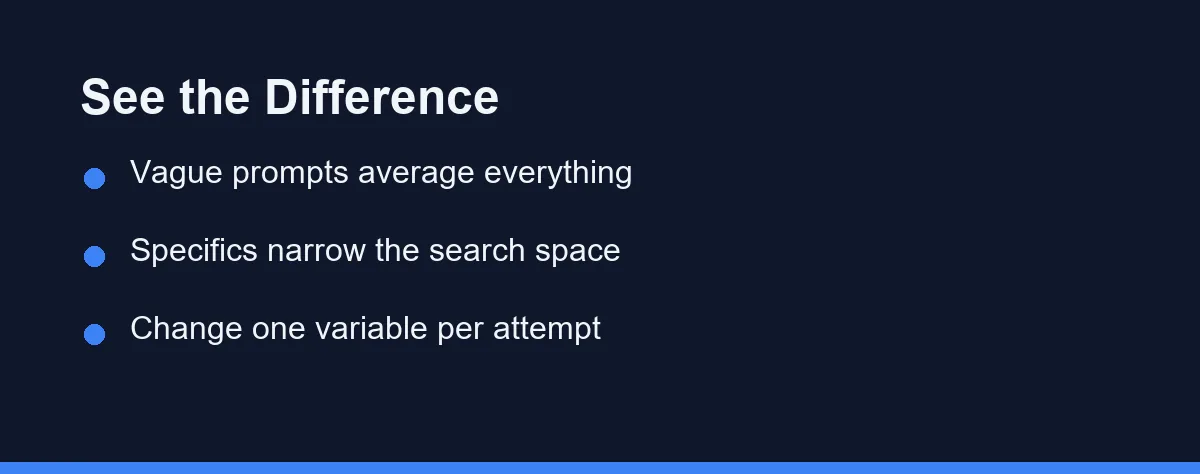
Bad AI images usually start as vague requests. The prompt says a cool picture of a wolf, the model averages a million wolf pictures, and the output looks like nothing in particular.
An image model is closer to a contractor than a mind reader. It executes a brief, and the quality of the brief caps the quality of the work.
The good news is that briefs have a learnable structure. A handful of decisions, made in a consistent order, move results from generic to deliberate in a single session.
This guide teaches that structure, then shows the same prompt rewritten three ways so the effect is visible. It closes with how the major generators differ, because they do not speak quite the same dialect.
A Four-Part Structure That Fixes Most Prompts

Build every prompt from four parts in order, starting with subject, then style, then composition, then light. Most models weight early words more heavily, so the order doubles as a priority list.
The subject is what exists in the frame, described in concrete nouns. The style is the medium and visual language, such as oil painting, studio photograph, or flat vector illustration.
Composition is where the camera stands, meaning close-up, wide shot, overhead, or eye level. Light is the mood engine, covering golden hour, overcast, neon, or a single hard spotlight.
A prompt with all four parts filled in can still fail, but it fails in a fixable way. You can see which part produced the wrong element, change that part, and keep the rest.
Describe the Subject Like a Photographer, Not a Search Box
The subject deserves half your effort, because it is where most prompts are thinnest. A woman in a market names a category, while an elderly flower vendor arranging tulips at a rainy Amsterdam market stall names a scene.
Concrete beats abstract in every slot. Weathered hands, a cracked leather jacket, and steam rising from a paper cup all give the model edges to draw. Words like beautiful, epic, and high quality give it nothing.
Count matters more than people expect. Models handle one or two subjects well and start merging faces and limbs as crowds grow, so name a small number of subjects precisely.
Relationships need stating too. If the fox should be looking at the camera and the barn should sit far behind it, say both, because the model will not infer your mental layout.
Style Words Do More Work Than Adjectives
Naming a medium is the single highest-leverage style move. Watercolor sketch, 35mm film photo, isometric 3D render, and charcoal drawing each snap the whole image into a coherent visual language.
Era and genre terms function the same way. Film noir, 1970s magazine ad, Studio Ghibli-style landscape, and brutalist architecture photography carry dozens of implicit decisions about palette, contrast, and texture.
Be careful with living artist names. Beyond the ethical debate, many tools now block or dilute them, and named styles date quickly. Describing the properties you want, such as loose ink lines with muted earth tones, travels better across tools.
Stacking styles is where prompts collapse into mush. One medium plus one or two modifiers holds together, while five competing aesthetics average into none of them. Our Midjourney versus DALL-E versus Stable Diffusion comparison shows how differently the big three interpret the same style words.
Composition and Camera Language the Models Understand
Image models trained on photography captions understand photography vocabulary. Wide-angle shot, macro close-up, shallow depth of field, and shot from below all reliably steer the frame.
Placement language works when it is explicit. Centered portrait, subject on the left third, and negative space above the subject give the model a layout instead of a lottery.
Lighting vocabulary is the fastest mood control you have. Soft window light reads calm, harsh noon sun reads documentary, and a single candle reads intimate, all without changing the subject at all.
Aspect ratio belongs in this pass too, since a vertical portrait and a wide cinematic frame compose the same scene differently. Set it deliberately in whatever syntax your tool uses rather than accepting the square default. OpenAI’s image API, for example, documents 1024x1024 square, 1536x1024 landscape and 1024x1536 portrait as its standard sizes.
Negative Prompts and What They Can Actually Remove
A negative prompt is a list of exclusions, and it earns its keep on recurring defects. Extra fingers, watermarks, text artifacts, and oversharpened skin are the classic entries.
Treat it as a filter, not a repair shop. A negative prompt can suppress a defect the model tends to add, but it cannot rescue a subject description that was never clear.
Keep the list short and factual. Ten exclusions work, while fifty turn into noise, and putting quality words like ugly or bad anatomy in negatives helps less on modern models than it once did.
Some tools have no negative field at all, and conversational models accept exclusions in plain language instead. Writing without any watermark or text in the main prompt does the same job there.
One Prompt, Rewritten Three Ways
Watching one idea improve teaches more than any rule list. Here is the same image request at three levels of control.
v1 — vague:
a cool picture of an old sailor
v2 — structured:
Portrait of a weathered old sailor with a grey beard,
wool sweater, oil painting style, close-up, dramatic
side lighting, dark green background
v3 — art-directed:
Close-up portrait of a weathered sailor in his 70s,
grey beard flecked with white, cable-knit wool sweater,
oil painting with visible brushstrokes, muted teal and
ochre palette, hard side light from the left, dark
background with negative space on the right --ar 4:5
The v1 prompt forces the model to invent everything, so it returns the average of every sailor image it knows. The v2 prompt fixes the subject, medium, framing, and light, which already produces a consistent, usable image.
The v3 prompt adds palette, texture, and layout, which is the level where outputs start looking commissioned. Note what it does not add, since there are no filler adjectives and no stacked styles anywhere in it.
Which Prompting Style Fits Which Generator

The structure above transfers everywhere, but each major tool has a dialect. The table summarizes where the same effort pays off differently.
| Generator | Reads best | Negative prompts | Strongest lever |
|---|---|---|---|
| Midjourney | Keyword phrases, mood language | Via parameter | Style and atmosphere terms |
| DALL-E | Plain conversational sentences | In-sentence exclusions | Precise subject description |
| Stable Diffusion | Keyword lists with weights | Dedicated field, heavily used | Fine control and custom models |
| Adobe Firefly | Short descriptive sentences | Limited | Style presets and commercial safety |
| Canva AI tools | Simple scene descriptions | Minimal | Speed inside existing designs |
Midjourney rewards atmosphere writing, so spend extra words on mood and medium there. DALL-E follows sentence logic closely, which makes it the easiest place to practice subject precision.
Stable Diffusion gives the most control and demands the most syntax, from weights to negatives to custom checkpoints. Design-suite tools trade ceiling for convenience, and our Canva AI versus Adobe Firefly comparison covers when that trade makes sense. For picking a primary tool overall, our best AI image generators guide ranks the field.
Prompt Mistakes That Waste Your Generation Credits
Piling on quality words is the most common waste. Masterpiece, ultra-detailed, and 8K spend tokens the subject needed, and modern models largely ignore them.
Changing five things between attempts is the second. When the new image is better, you cannot know why, so every regeneration teaches nothing.
Fighting the model in the same prompt burns credits fast. Asking for a minimalist scene packed with intricate details, or photorealism in a flat vector style, gives the model contradictory orders and you a muddy average.
Prompting for text is a known trap. Most generators still mangle longer signage and labels, so plan to add real text in an editor afterward. Even OpenAI’s own guide notes that its model can still struggle with precise text placement.
Skipping the tool documentation costs quietly. Aspect ratio syntax, weighting, and negative support differ per tool and change with each version, so check the current reference on the official site as of 2026.
Iterate in Small Steps and Keep What Works
Good prompting is a loop, not a spell. Write the four-part brief, generate, identify the one part that missed, change only that part, and run it again.
Keep a personal file of prompts that worked, with the tool and settings attached. Reusing a proven skeleton with a new subject is the fastest route to consistent results anyone has found.
The skill compounds quickly because feedback is instant. A dozen deliberate iterations teach more than a hundred hopeful ones, and they cost far less.
One setting makes that loop honest. Holding the starting noise still lets you see whether an edit or plain luck produced the improvement, which is the case for fixing a seed while you test.
FAQ
What is the best structure for an AI image prompt?
Order the prompt as subject, then style, then composition, then lighting, and keep each part concrete. Front-load the most important element, because most models weight early tokens more heavily. One clear sentence per part beats a paragraph of adjectives.
Do longer prompts produce better AI images?
Longer is not better, and specific is better. Extra vague words dilute the parts the model should focus on, while extra concrete details usually help. A tight prompt of 20 to 40 well-chosen words outperforms 150 words of filler in most generators.
What does a negative prompt actually do?
A negative prompt lists what you do not want, such as extra fingers, watermarks, or blurry backgrounds. Some tools support it as a separate field, and others accept exclusions written into the main prompt. It trims common defects, but it cannot fix a weak subject description.
How should I iterate on a prompt that is almost right?
Change one variable at a time and regenerate, keeping the seed fixed if your tool allows it. Adjusting style, lighting, and composition together makes it impossible to tell which change helped. Iterating in single steps converges faster and costs fewer credits.
Do the same prompts work across Midjourney, DALL-E, and Stable Diffusion?
The structure transfers, but the dialect differs. Midjourney rewards style and mood keywords, DALL-E follows plain conversational sentences well, and Stable Diffusion leans on keyword weighting and negative prompts. Feature sets change often, so confirm current syntax on the official site as of 2026.
Sources
- OpenAI API docs: Image generation — checked 2026-09-27
Some links may be affiliate links. We may earn a commission at no extra cost to you.
This article was written with AI assistance. It is researched and fact-checked, not based on personal hands-on testing unless explicitly stated.
Comments
Post a Comment