
The Blank Slate Is the Slow Part
Building a slide deck from scratch is slow work. You wrestle with layout, fonts, and spacing before you ever reach the message.
AI presentation makers remove that friction. They take a prompt, an outline, or a document and generate a structured deck in seconds, which gives you a strong starting point to refine.
If you want fast, polished decks from a text prompt, Gamma is a popular and flexible choice, while Beautiful.ai suits teams that value consistent design. Tome and Plus AI work well for storytelling and Google Slides integration.
Microsoft Copilot in PowerPoint is the natural pick if your organization already lives in Microsoft 365, and Canva Magic Design fits people who want presentations alongside broader visual content.
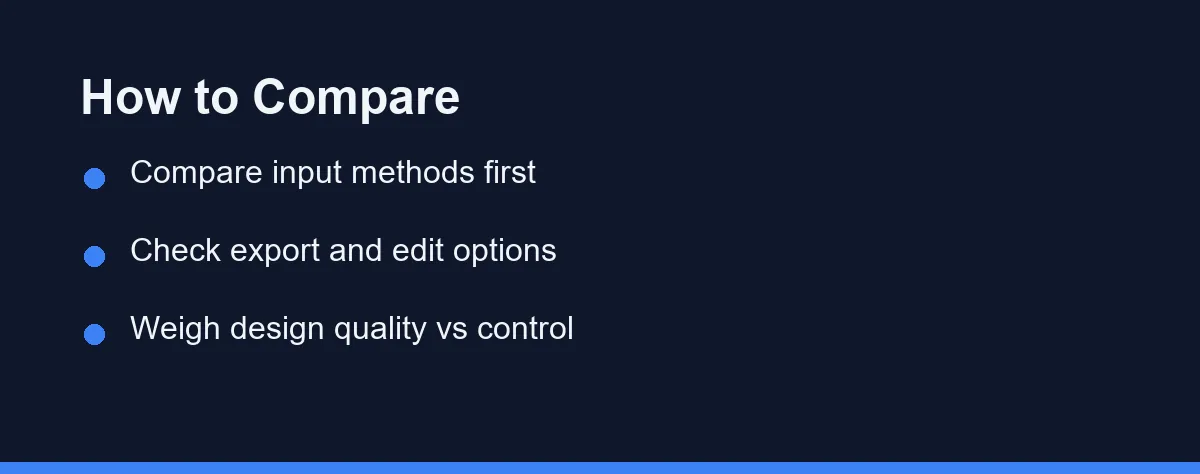
No single tool wins for everyone. The rest of this guide is about the three questions that actually decide it.
What the AI Gets Right and What You Must Rewrite

Set expectations before you compare products, because this is where disappointment usually starts.
Plan to keep the structure and rework most of the words. These tools are genuinely good at producing a sensible outline, a consistent layout, and a reasonable slide count in a couple of minutes, which is the slow part of building a deck.
What they cannot do is know your numbers, your customer, or the one argument the room needs to hear. Every claim and figure has to be checked and rewritten by you.
Treating the output as a first draft rather than a finished deck is what makes the time saving real. People who expect a ready-to-present file end up slower than if they had started from a blank slide.
The same applies to source documents. Many tools turn a prompt, an outline, a PDF, or a Word file into a draft deck, and the quality depends heavily on how clear and structured your source material is.
Where the Finished Deck Has to Live
The second question decides more purchases than design quality does. Your deck has a destination, and switching formats late is where AI presentations lose their polish.
If your audience expects a PowerPoint file, check the export fidelity rather than trusting that the option exists. A deck that arrives with broken spacing costs you the time you saved.
If your team collaborates in Google Slides, an add-on that works inside the editor avoids an awkward export step entirely.
Editing control matters for the same reason. Some tools produce beautiful drafts and limit fine adjustments, while others give full control and demand more manual work.
Input flexibility completes the picture. The more sources a tool accepts, the more easily it slots into the way you already work.
Six Tools, Six Approaches
Gamma
Gamma turns prompts and outlines into modern, card-style decks quickly, with clean visuals and a smooth editing flow. It also supports webpages and documents, and many people treat it as a fast first-draft generator.
Beautiful.ai
Beautiful.ai focuses on design consistency through smart templates. Slides adjust their layout automatically as you add content, which helps teams keep a uniform look across many decks.
Tome
Tome leans into narrative and visual storytelling, generating flowing presentation-style pages from a prompt. The format suits pitches and concept walkthroughs more than dense corporate slides.
Microsoft Copilot in PowerPoint
Copilot brings AI generation directly into PowerPoint, drafting decks from a document and summarizing existing files. For Microsoft 365 users, it removes the need for a separate tool and keeps output in the familiar format.
Plus AI
Plus AI works as an add-on inside Google Slides and PowerPoint, generating and editing slides without leaving your usual editor. That appeals to teams committed to Google Workspace.
Canva Magic Design
Canva extends its design platform with AI-generated presentations, pairing slide creation with a huge library of templates and assets. It is flexible, though sometimes less structured for formal decks.
| Tool | Main Input | Design Strength | Export / Integration | Best For |
|---|---|---|---|---|
| Gamma | Prompt, outline, doc | Modern card layouts | PowerPoint, PDF | Fast first drafts |
| Beautiful.ai | Prompt, content blocks | Auto-adjusting templates | PowerPoint, PDF | Brand consistency |
| Tome | Prompt | Narrative visuals | Web share, export | Pitches and stories |
| Copilot (PowerPoint) | Prompt, documents | Native PowerPoint styles | Microsoft 365 | Existing MS users |
| Plus AI | Prompt, outline | Editor-native slides | Google Slides, PPT | Workspace teams |
| Canva Magic Design | Prompt, templates | Large asset library | Canva, PDF, PPT | Visual-first users |
The pattern is consistent. Tools that integrate with your existing editor reduce friction, and tools with strong native design reduce manual cleanup.
For drafting the slide content itself, see our guide to the best AI writing tools. Visual teams often pair these makers with the best AI image generators for custom graphics.
Brand Fonts, Colors, and Corporate Templates
For anyone presenting under a company name, this question outranks everything above.
Most tools support brand control, though the depth varies by product and often by plan. Canva and Beautiful.ai support brand kits that apply your palette and typefaces across a deck, and Gamma lets you set a theme that new slides inherit.
Copilot in PowerPoint has a structural advantage here. It builds inside your existing corporate template rather than importing into it afterward, which avoids the re-theming step where most AI decks visibly degrade.
If brand consistency is a hard requirement, confirm on the official site which tier includes brand controls before you subscribe. Discovering that the feature sits one plan higher is an expensive surprise mid-rollout.
Beautiful.ai shows how the tiers split. As of September 2026, its Pro plan at $14.50 a month, billed annually, includes a custom theme builder for colors, fonts and logos. Shared branded themes and a central template library sit on the Team plan, at $40 per user per month billed annually.
Test with your real template, not the demo one. A deck that looks clean in a vendor’s default theme can fall apart under a restrictive corporate palette.
Credits, Seats, and Bundled Suites

Pricing varies widely and changes frequently. Most tools offer a free tier with limits on exports, AI credits, or watermarks, while paid plans unlock full design features and team collaboration.
The billing model matters as much as the number. Some tools bill per user, while others use credit-based systems for AI generation, and heavy deck builders hit credit ceilings faster than they expect.
Bundled suites change the math entirely. Microsoft 365 and Canva include presentation AI inside a broader subscription, so an add-on may cost far less than a standalone tool your team barely uses.
Factor in what your team already pays for before comparing sticker prices. The right plan depends on team size and how often you actually build decks.
Confirm current pricing on each official site before subscribing, since plans and promotions shift faster than any published comparison. For related student and research work, the best AI tools for students guide covers overlapping options.
Verdicts by Where the Deck Lands
These tools differ most in where the finished deck has to live. Pick the one that matches your output, not the one with the best demo.
The person who needs a deck before a meeting later today: Gamma turns a prompt or a rough outline into a presentable draft faster than anything else here. The card-style layouts look modern with almost no formatting work from you. Export to PowerPoint if the audience expects a traditional file.
The employee working inside a corporate template: Copilot in PowerPoint is the safer choice, because it generates slides in the template your company already approved. Nothing has to be re-themed or reimported, which is where most AI decks lose their polish. It only makes sense if your organization already has Microsoft 365 with Copilot.
The founder building a pitch narrative: Tome and Gamma both lean toward story flow rather than dense bullet slides, which suits a pitch that has to hold attention. Keep the numbers slide entirely your own work, since investors will test it. Use the AI for pacing and structure, not for claims.
The team that must stay on brand: Beautiful.ai and Canva are built around consistency, with templates and brand kits that stop each slide from drifting. Canva also brings a large asset library, which helps when you need images without hiring a designer. Confirm which plan unlocks brand controls first.
The Google Workspace user: Plus AI generates slides directly inside Google Slides, so the deck stays where your team already collaborates. That avoids the awkward export step other tools require. Test it on one real deck before standardizing.
Test One Free Tier on a Real Deck
AI presentation makers have matured into genuinely useful drafting tools. They will not replace careful editing or a clear message, and they were never going to.
What they do well is remove the blank-slate stage. That is a real hour saved on every deck, and it compounds for anyone who presents weekly.
Judge a candidate on a real task rather than a sample topic. Generate one deck you actually have to deliver, then measure the draft quality, the editing flow, and how the export survives.
If you plan to narrate your slides or build a self-running version, pair your pick with a tool from our best AI voice generators guide.
FAQ
Are AI presentation makers good enough to replace PowerPoint?
For first drafts and quick decks, many people find AI tools faster than starting from a blank slide. PowerPoint still leads on fine-grained control and offline editing. Most users export AI drafts to PowerPoint or Google Slides for final polish.
Do AI presentation makers cost money?
Most offer a free tier with limits on exports, watermarks, or AI credits, plus paid plans for full features. Pricing changes often, so check the official site of each tool for current plans.
Can these tools work from my existing documents?
Many can turn a prompt, an outline, a PDF, or a Word document into a draft deck. Quality depends on how clear and structured your source material is. Reviewing and editing the output is still recommended.
How much editing does an AI-generated deck usually need?
Plan to keep the structure and rework most of the words. These tools are good at producing a sensible outline, a consistent layout, and a reasonable slide count in a couple of minutes, which is the slow part of building a deck. What they cannot do is know your numbers, your customer, or the one argument the room needs to hear, so every claim and figure has to be checked and rewritten by you. Treating the output as a first draft rather than a finished deck is what makes the time saving real.
Can I keep my company brand fonts and colors in an AI-generated deck?
Usually yes, though the depth of control varies by tool and often by plan. Canva and Beautiful.ai support brand kits that apply your palette and typefaces across a deck, and Gamma lets you set a theme that new slides inherit. Copilot in PowerPoint has an advantage here because it builds inside your existing corporate template rather than importing into it later. If brand consistency is a hard requirement, confirm on the official site which tier includes brand controls before you subscribe.
Sources
- Beautiful.ai: Pricing — checked 2026-09-27
Some links may be affiliate links. We may earn a commission at no extra cost to you.
This article was written with AI assistance. It is researched and fact-checked, not based on personal hands-on testing unless explicitly stated.
Comments
Post a Comment