Short on One Thing, Time
Between lectures, readings, part-time work, and deadlines, most students are short on one thing: time. The right AI tools give some of it back. The wrong ones just add another login and another monthly charge.
This guide is about building a small, affordable student stack that actually helps. Not a pile of apps, just a writing helper, a research tool, and a study aid that fit real coursework.
It also draws a clear line on academic honesty. These tools are for learning faster, not for handing in work you did not write.
Names like ChatGPT, Claude, Perplexity, Notion AI, and Grammarly appear throughout, each matched to a job a student actually does.
Build a Three Part Stack

If you want a fast starting point, build a small three-part stack.
Pick one writing assistant for drafting and editing, such as a general chatbot or a dedicated grammar tool. Add one research or summarizing tool to digest long readings. Finish with one study tool for notes and flashcards.
Most of these tools offer free tiers that are enough for everyday student work. Upgrade only when you hit real limits, and always confirm current pricing on the official site.
The comparison table further down maps each tool to the task it handles best.
Why Students Are Turning to AI Tools
The pressure on students has not eased. Reading loads are heavy, deadlines stack up, and many learners juggle classes with part-time jobs.
AI tools help by speeding up the slow parts of studying. They can summarize a dense chapter, explain a tricky concept in plain language, or turn messy notes into a clean outline.
That said, these tools are assistants, not shortcuts to understanding. They work best when you still do the thinking and use AI to check, refine, or accelerate your work.
Used well, they free up hours each week for deeper study and rest.
Best AI Writing Assistants for Students
Writing help is the most common reason students reach for AI. A solid assistant can brainstorm angles, tighten a rough draft, and catch grammar slips before you submit.
General chatbots like ChatGPT and Claude are flexible for outlining essays and explaining feedback. They can rephrase a clumsy sentence or suggest a stronger thesis.
Dedicated tools such as Grammarly focus on polish, fixing tone, clarity, and grammar across your documents. They tend to fit neatly into the apps you already write in.
For free options across many tasks, see our roundup of the best free AI tools. Just remember to write your own arguments and use AI only to refine them.
Best AI Research and Summarizing Tools
Research eats time, especially when readings run long. AI summarizing tools help you grasp the core ideas quickly, then decide what deserves a closer read.
Tools like Perplexity blend search with cited answers, which makes them useful for finding sources fast. Others can condense a PDF or a long article into a short brief.
Always verify what these tools tell you. AI can misread a source or invent a citation, so trace key facts back to the original before you rely on them.
Treat summaries as a map, not the territory. They point you to the important sections, but the real understanding still comes from reading and thinking yourself.
Best AI Study and Note-Taking Tools
The third pillar is studying itself: notes, review, and recall. This is where AI quietly saves the most time.
Note apps such as Notion AI can clean up messy lecture notes, generate outlines, and answer questions about your own content. Some tools turn notes into flashcards or practice questions automatically.
For lectures and group projects, AI meeting assistants can transcribe and summarize discussions. See our guide to the best AI meeting assistants if you record classes or study sessions.
Active recall still beats passive rereading. Use AI to generate quiz questions, then test yourself instead of just rereading the summary.
Comparison Table of Top Student AI Tools

The table below maps common student tasks to the kind of tool that fits best. Use it to decide where each option earns a place in your stack.
| Tool Type | Best For | Typical Free Tier | Watch Out For |
|---|---|---|---|
| General chatbot | Brainstorming, explaining, drafting | Yes, with usage limits | Can state wrong facts confidently |
| Grammar assistant | Editing, tone, clarity | Yes, basic checks | Premium upsells for advanced fixes |
| Research and search AI | Finding and citing sources | Often, with limits | May invent or misattribute citations |
| Summarizer | Condensing long readings | Usually limited free use | Skips nuance in complex texts |
| Note and study app | Organizing notes, flashcards | Yes, with feature caps | Lock-in to one note ecosystem |
| Presentation maker | Slides and decks | Yes, limited exports | Generic-looking templates |
| Math and problem help | Step-by-step explanations | Often, with limits | Can make reasoning errors |
Pricing and limits change frequently. Confirm the current details on each tool’s official site before you commit to a paid plan.
How to Use AI Tools Responsibly as a Student
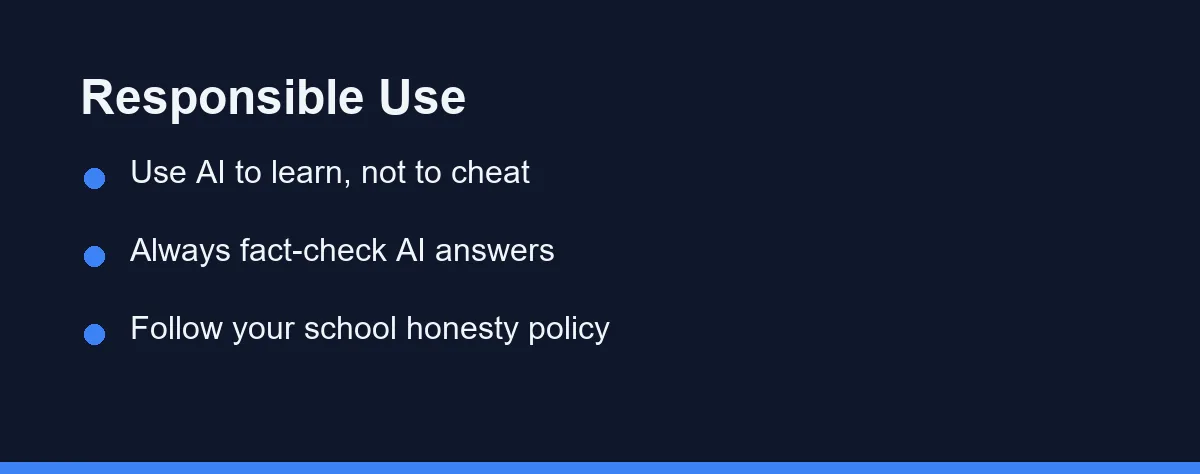
The most important skill is knowing where to draw the line. AI should support learning, not stand in for it.
Use these tools to brainstorm, explain, and review, rather than to produce work you submit as your own. Passing off AI text as original writing breaks most academic honesty policies and undermines your learning.
Always fact-check what AI gives you. Models can sound confident while being wrong, so verify dates, numbers, and citations against trusted sources.
When in doubt, ask your instructor what is allowed. Many schools now have clear AI guidelines, and following them protects both your grades and your integrity.
How to Choose the Right Tool for You
You do not need every tool on this list. A lean stack beats a crowded one that you never fully learn.
Start by naming your biggest pain point. If essays drain you, prioritize a writing assistant. If readings overwhelm you, lead with a summarizer.
Test the free tier before paying. Spend a week using a tool on real coursework, then judge whether it actually saves time.
Watch the total cost. Several small subscriptions add up fast on a student budget, so consolidate where one tool covers multiple needs.
Pricing and Student Plans
The table below shows approximate pricing for popular student tools. These are rough tiers at the time of writing, so confirm current pricing and eligibility on each official site.
| Tool | Free tier | Individual paid | Team / school |
|---|---|---|---|
| ChatGPT | Yes, capable | Plus around $20/mo | Edu and Team plans |
| Grammarly | Yes, basic checks | Premium roughly $12-30/mo | Education and business plans |
| Notion | Yes, generous | Plus around $10-12/mo | Education plan often free |
| Perplexity | Yes, with limits | Pro around $20/mo | Enterprise plans |
| Canva | Yes, generous | Pro around $13-15/mo | Education plan often free |
Several tools offer education discounts or free student tiers. A valid school email is usually required, and terms change, so check the official site.
Privacy and Your Schoolwork
Student work often includes personal details, so privacy deserves a moment of thought. A few habits keep your data and your classmates’ data safe.
Never paste other people’s names, grades, or private information into a general AI tool. Your school’s policy almost certainly covers this, so check it first.
Many free tools train on your inputs unless you opt out. Turn off training where you can, and avoid uploading full assignments that contain sensitive details.
When a course involves protected or graded material, ask your instructor what is allowed. A quick question now avoids an honesty problem later.
Which Tool Fits Each Assignment
Best for writing essays: A general assistant like ChatGPT or Claude. Use it to brainstorm angles, outline structure, and explain feedback. Write the arguments yourself and let the tool refine, not replace, your voice.
Best for research and sources: Perplexity blends search with cited answers. It speeds up finding and checking sources for a paper. Always trace key facts back to the original before you cite them.
Best for notes and revision: A note app like Notion AI cleans up messy notes and builds outlines. Some tools turn notes into flashcards and quiz questions. Use active recall, not passive rereading, to actually remember material.
Best for final editing: Grammarly catches grammar, clarity, and tone issues before you submit. It works inside the apps you already write in. Keep it as the last step in your workflow.
Best on a student budget: Free tiers plus education plans cover most needs. Canva and Notion often offer free education access with a school email. Confirm eligibility and current terms on each official site.
The Smallest Setup Wins
The smartest student AI setup is also the smallest. One writing helper, one research tool, and one study aid will carry you through most of a semester.
Start on free tiers and student plans, and only pay when a real limit gets in your way. Check the pricing and eligibility on each official site, since these plans change often.
Then keep the tools in their lane. Do the thinking yourself, verify what they tell you, and follow your school’s honesty policy without exception.
Used that way, AI hands back hours every week and helps you learn more, not less.
Two questions come up constantly once you start using these tools for coursework. Students worried about how submitted work is screened should read AI detectors vs plagiarism checkers, which explains what each one actually measures and why the two are often confused. For group projects and class talks, the best AI presentation makers roundup covers slide generation. And if your program includes programming, best AI coding assistants for beginners covers the tools that explain code rather than just producing it.
The other side of the classroom faces a different set of trade-offs. Instructors weighing lesson planning, feedback, and grading load will find the picks and the caveats in best AI tools for teachers, which treats student privacy as a selection criterion rather than a footnote.
Cost is the question that arrives once the shortlist is settled. Is ChatGPT Plus worth it for students weighs the $8 and $20 tiers against what the free plan already covers for coursework.
FAQ
Are there free AI tools good enough for students?
Many strong AI tools offer free tiers that cover student needs, such as note summarizing, writing help, and basic research. Always confirm current limits on the official site, since free plans change often.
Is it safe for students to use AI tools for schoolwork?
Used responsibly, yes. Treat AI as a study aid for brainstorming, explanations, and review, not as a way to submit work you did not write. Follow your school's academic honesty policy.
How many AI tools does a student really need?
Start with one writing assistant, one research or summarizing tool, and one note or study tool. This small stack covers most coursework without overwhelming your routine or budget.
Are there student discounts on AI tools?
Many tools offer student or education plans, and some like Canva and Notion provide free education tiers. Always verify eligibility and current terms on the official site. A valid school email is usually required.
What AI tools are best for writing essays and studying?
A general chatbot like ChatGPT or Claude covers essays and explanations. Perplexity helps with sourced research, and a note app like Notion AI organizes study material. Grammarly handles the final editing pass.
Sources
- Grammarly Prices and Plans — checked 2026-09-27
- Anthropic pricing — checked 2026-09-27
Some links may be affiliate links. We may earn a commission at no extra cost to you.
This article was written with AI assistance. It is researched and fact-checked, not based on personal hands-on testing unless explicitly stated.
Comments
Post a Comment