
One Person, Five Jobs, Every Post
Blogging asks one person to do many jobs at once. You research, write, edit, create images, and optimize for search, often all before a single post goes live. That workload is exactly where AI tools can help.
The catch is that there are far too many tools to try them all. Chasing every new release wastes time and money, and stacking overlapping tools can slow you down rather than speed you up.
A better approach is to think by task. Group AI tools by the job they do, then pick one strong option for the part of your workflow that needs the most help. That keeps your toolkit lean and your spending focused.
This guide covers the best AI tools for bloggers by task: writing, editing, image creation, and SEO. The few prices quoted are as of September 2026, and plans change, so confirm current figures and free tiers on each official site.
Four Tasks, One Tool Each

The best AI toolkit for a blogger usually covers four tasks: writing assistance, editing and grammar, image creation, and search optimization. Rather than collecting tools, start with the one job that slows you down most.
For drafting, a writing assistant such as ChatGPT or Jasper can help with outlines and first drafts. For polish, a grammar checker like Grammarly cleans up your text. Match each tool to a clear task instead of buying by reputation.
For visuals, an AI image generator can produce custom graphics without stock libraries. For search, an SEO assistant can guide structure and keywords. Add these only if images or optimization are genuine bottlenecks for you.
The guiding rule is restraint. A lean toolkit you use well beats a large one you barely touch. Our best AI writing tools guide is a good next step if drafting is your main friction.
Buy for Your Friction, Not the Hype
Start by identifying your biggest bottleneck. If drafting takes hours, a writing assistant matters most; if visuals stall you, an image tool comes first. Buying for your real friction beats buying for hype.
Look at how each tool fits your existing workflow. A tool that lives where you already write, or exports cleanly into your blog, saves friction. Tools that force awkward copying and reformatting can cost more time than they save.
Check the free tier before you pay. Most AI tools let you test their core value at no cost, with caps on usage or features. That trial period tells you whether the tool suits your style before any spending.
Consider quality control features. For writing tools, look at how easily you can edit and guide output; for images, look at consistency and rights to use what you create. Responsible use depends on staying in control of the result.
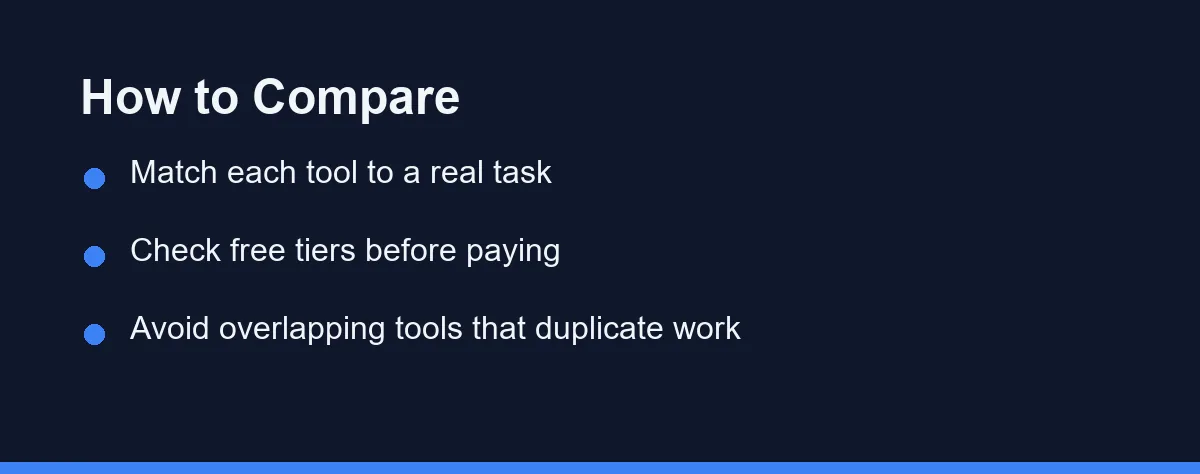
Weigh overlap between tools. Two tools that do the same job double your cost without doubling your output. Aim for one strong tool per task rather than several that compete. Our best free AI tools guide can help you start without spending.
Finally, confirm terms of use and content ownership. Rules on commercial use and generated images vary by provider. Verify these on each official site so you can publish confidently.
Tools Grouped by the Job They Do
Bloggers need different help depending on where their time goes. The categories below group tools by task, so you can pick one strong option for each job you actually need.
Writing and Drafting Tools
General assistants like ChatGPT and dedicated writing tools like Jasper can speed up outlining, drafting, and rephrasing. They are strongest at breaking blank-page paralysis and generating structure you can then refine.
The value is momentum. A rough AI draft gives you something to edit, which is often faster than writing from scratch. Used well, these tools handle the mechanical parts so you can focus on insight and voice.
The caution is originality. Generic AI text rarely stands out, so add your own experience, examples, and editing. Compare the specialized writing platforms in our Jasper vs Copy.ai guide, then confirm features on each official site.
Editing and Grammar Tools
Tools such as Grammarly focus on polishing what you have written. They catch grammar, spelling, and clarity issues, and can suggest tone adjustments. For bloggers publishing frequently, that safety net matters.
The strength here is consistency. An editing tool helps every post read cleanly, even when you are rushed. It works alongside your writing rather than replacing it, which keeps your voice intact.
The trade-off is that these tools suggest, and you decide. Blindly accepting every change can flatten your style. Compare approaches in our Grammarly vs ChatGPT for writing guide, and confirm current features on the official site.
Image and SEO Tools
For visuals, AI image generators can create custom graphics that fit your post without hunting through stock libraries. For search, AI SEO assistants can suggest structure, headings, and keyword coverage to help your posts get found.
The appeal is filling gaps most bloggers find tedious. Custom images make posts feel original, and structured SEO guidance helps you compete for search traffic. Together they address the parts of blogging beyond writing.
The caution is quality and rights. Confirm you can use generated images commercially, and treat SEO suggestions as guidance rather than rules. Our best AI image generators and best AI SEO tools guides go deeper on each.
Which Category Solves Which Problem
The table below summarizes the main AI tool categories a blogger might use, and what each one is best at. Use it to decide which task to address first, then verify specific tools on their official sites.
| Task | Example Tools | Best For | Watch Out For |
|---|---|---|---|
| Writing and drafting | ChatGPT, Jasper | Outlines and first drafts | Generic, unedited output |
| Editing and grammar | Grammarly | Polishing clarity and tone | Over-accepting suggestions |
| Image creation | AI image generators | Custom, original visuals | Usage rights and consistency |
| SEO optimization | AI SEO assistants | Structure and keyword coverage | Treating advice as absolute |
Reading across the rows, each tool solves a distinct problem. The goal is not to own one of each, but to add the tool that removes your current bottleneck.
Match the category to your real workflow gap. A blogger who writes easily but struggles with visuals has different needs than one who drafts slowly. Buy for your friction, not for a complete set.
Fix the Slowest Step First

Start by naming the task that slows you down most. If drafting eats your time, begin with a writing assistant. If visuals or search hold you back, start there instead. One well-chosen tool beats a crowded stack.
Next, test the free version before paying. Use it on a real post, not a demo, to see whether it fits your voice and workflow. The tool that saves you time in practice is the one worth keeping.
Then check how it fits your publishing process. A tool that exports cleanly into your blog or works where you already write reduces friction. Awkward integrations can quietly erase the time a tool was meant to save.
Consider quality control at every step. Edit AI drafts, verify AI facts, and confirm you own the images you generate. Staying in control protects both your voice and your credibility.
Finally, add tools gradually. Resist the urge to assemble a full toolkit at once. Solve one bottleneck, get comfortable, then reassess. Our best AI tools for freelancers guide offers a related view for solo creators.
Free Tiers and Stacked Subscriptions
AI tools for bloggers span free tiers and paid subscriptions, and the value depends on how central each tool is to your work. Confirm all current figures and free-tier limits on each official site, as of 2026.
Many tools offer a free plan that is enough to start, with caps on usage such as word counts, image credits, or feature access. Those caps let you test a tool before committing, so use them fully before paying. Some tools offer only a trial, such as Jasper’s 7-day free trial.
Paid plans usually unlock higher limits and advanced features. The question is whether you hit the free-tier ceiling often enough to justify the upgrade. If you rarely reach the cap, a paid plan may be premature.
Costs add up quickly if you subscribe to several tools at once. Jasper’s Pro plan alone costs $69 per seat a month, or $59 billed annually, as of September 2026. A lean toolkit with one strong tool per task is usually more economical than paying for overlapping features across many services.
Watch for annual versus monthly pricing and for features locked behind higher tiers. Read exactly what each plan includes on the official site, so you pay for what you will actually use rather than a bundle you ignore.
Which Stack Fits Your Blogging Stage
The comparison above groups tools by task. Here is the direct call for the kinds of bloggers who most often ask which tools to start with.
The new blogger drowning in the blank page: Start with a writing assistant. A tool like ChatGPT or Jasper helps you outline and draft, turning a blank screen into something you can edit. Add other tools later.
The prolific blogger who publishes several posts a week: Prioritize an editing tool such as Grammarly. When you write fast, a reliable polish step keeps quality consistent across every post without slowing you down.
The visual blogger who struggles with images: Begin with an AI image generator. Custom graphics make posts feel original and save time hunting stock libraries. Confirm commercial-use rights, as covered in our best AI image generators guide.
The blogger chasing search traffic: Add an AI SEO assistant to guide structure and keyword coverage. Treat its advice as guidance, not rules, and pair it with genuinely helpful writing. Our best AI SEO tools guide goes deeper.
The solo creator on a tight budget: Start with free tiers and one tool for your biggest bottleneck. Our best free AI tools guide helps you build a capable toolkit before spending anything.
Collecting Tools Is Not a Strategy
The most common mistake is collecting tools instead of solving problems. A pile of subscriptions looks productive but often just adds cost. Add a tool only when a real bottleneck calls for it.
Another mistake is publishing AI drafts without editing. Unrefined output tends to read generically and can hurt both trust and search performance. Always add your own voice, examples, and fact-checking before posting.
A third mistake is ignoring content rights. For AI-generated images especially, confirm you can use them commercially. Publishing without checking can create problems that a quick review would have prevented.
Finally, avoid letting tools flatten your style. Editing and writing assistants suggest changes, but the final voice should be yours. Accept help selectively and keep what makes your blog distinct.
A Lean Toolkit Beats a Long List
The best AI tools for bloggers are the ones that remove your specific bottlenecks, not the longest list you can assemble. Think by task: writing, editing, images, and SEO, then choose one strong tool where you need help most.
Keep your toolkit lean. Start with your biggest friction point, test the free version, and add other tools only as real needs appear. A focused setup you use well beats a crowded one you barely touch.
Throughout, stay in control of quality. Edit AI drafts, verify facts, and confirm you own the images you create. Used responsibly, AI supports your voice rather than replacing it.
Above all, confirm current features, limits, and terms on each official site, since these tools change often. For related reading, see our guides on best AI writing tools and best AI tools for freelancers.
FAQ
What AI tools does a blogger actually need?
The most useful AI tools for bloggers usually cover writing help, editing and grammar, image creation, and search optimization. A writing assistant can speed up drafts, a grammar checker polishes them, an image generator handles visuals, and an SEO tool guides structure. You rarely need all of them at once, so start with the task that slows you down most. Confirm current features and free tiers on each official site, as of 2026.
Can I use AI to write my whole blog?
AI can speed up drafting, outlining, and editing, but it should support your voice rather than replace it. Search engines reward helpful, original content, and readers notice generic writing. The safest approach is to use AI for structure and first drafts, then add your own experience, checking, and editing. Treat AI as an assistant, not an autopilot, to keep quality and originality high.
Are there free AI tools for bloggers?
Many AI tools offer free tiers that are enough to start, though they cap usage or advanced features. Free plans let you test whether a tool fits your workflow before paying. The right question is which limit you hit first, such as word counts, image credits, or feature access. Try the free versions first and confirm current limits on each official site.
Is it okay for SEO to use AI writing tools?
Using AI is generally acceptable when the final content is helpful, original, and reviewed by you. Search guidance focuses on quality and usefulness rather than how the text was produced. Problems arise from thin, mass-produced content, not from responsible AI assistance. Edit, fact-check, and add real value, and disclose AI use where it matters to your readers or platform.
How many AI tools should a blogger use?
Start with the tool that removes your biggest bottleneck, then add others only as needed. If drafting is slow, begin with a writing assistant; if visuals stall you, start with an image generator. Adding too many tools at once creates cost and complexity without clear benefit. Build your toolkit gradually around real friction in your workflow.
Sources
- Jasper: Pricing — checked 2026-09-27
Some links may be affiliate links. We may earn a commission at no extra cost to you.
This article was written with AI assistance. It is researched and fact-checked, not based on personal hands-on testing unless explicitly stated.
Comments
Post a Comment