
Where Grammar Tools Earn Their Keep

Clear writing matters more than ever in 2026. Emails, reports, blog posts, and academic papers all benefit from a clean draft, and AI grammar checkers have become the fastest way to get one.
These tools now do far more than flag typos. They suggest clearer phrasing, adjust tone, explain why a change improves a sentence, and integrate directly into the apps where writing already happens.
For most people, Grammarly remains the strongest all-around choice, balancing accuracy, ease of use, and wide app integration. Writers working on long documents, fiction, or detailed reports often prefer ProWritingAid for its deeper style reports.
If privacy and value lead your thinking, LanguageTool is the better bet, with many supported languages and a capable free tier. If you also create content beyond grammar fixes, explore broader AI writing tools that handle drafting too.
Five Tools, Five Different Bets
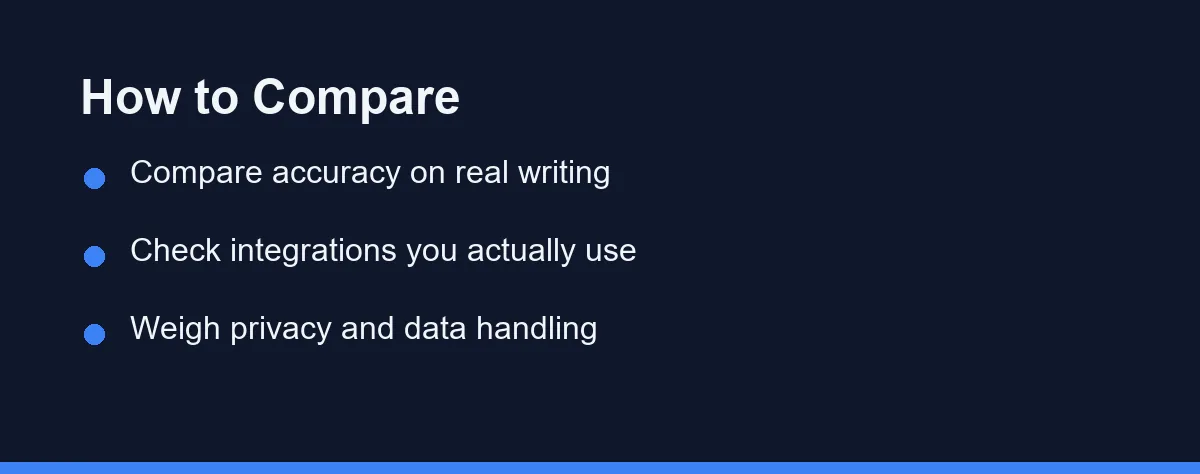
The market has several mature options, and each one has placed a different bet about what writers need most.
Grammarly
Grammarly is the most widely used AI grammar checker, with strong accuracy, clear explanations, and tone suggestions. Its browser extension and app integrations are among the most polished available.
The free tier handles core grammar and spelling well, while paid plans add advanced style, clarity, and tone features. It works for professionals, students, and casual writers alike.
ProWritingAid
ProWritingAid focuses on deeper writing analysis, with detailed reports on style, pacing, readability, and repetition. That makes it popular with authors, bloggers, and long-form writers.
Its feedback can feel dense for a short email. On a chapter or a long report, that same depth becomes the point.
LanguageTool
LanguageTool stands out for language coverage and privacy options. It supports many languages, offers a useful free tier, and includes self-hosting on some plans, which appeals to teams that cannot send text to a third party.
Its suggestions are solid for grammar, spelling, and basic style, and the interface stays clean and approachable.
Microsoft Editor
Microsoft Editor comes built into Microsoft 365 apps, offering grammar, spelling, and clarity suggestions across Word and Outlook. A browser extension stretches it to the wider web.
It is the convenient answer for anyone already inside the Microsoft ecosystem, though advanced features may require a subscription.
QuillBot
QuillBot combines grammar checking with paraphrasing and summarizing. The grammar checker is free and handles common errors well, while the paraphrasing tools help rework awkward sentences.
That blend suits students and writers who rewrite often, rather than anyone hunting for deep style reports.
| Tool | Best For | Tone/Style Feedback | Integrations | Language Support |
|---|---|---|---|---|
| Grammarly | All-around polish | Strong | Browser, apps, word processors | English-focused |
| ProWritingAid | Long-form writing | Very detailed | Word processors, desktop app | English-focused |
| LanguageTool | Privacy and value | Moderate | Browser, apps, self-host options | Many languages |
| Microsoft Editor | Microsoft 365 users | Moderate | Microsoft apps, browser | Multiple languages |
| QuillBot | Rewriting and paraphrasing | Basic | Browser, extensions | English-focused |
Each tool trades depth against simplicity in its own way. Match those strengths to your most common writing task rather than to the longest feature list.
Where You Write Decides More Than Accuracy
Coverage is the practical difference between these tools, and it settles more purchases than accuracy scores do.
Grammarly offers a browser extension plus desktop apps, so it follows you into Docs, email, and most web forms. Microsoft Editor is strongest where Microsoft already lives, meaning Word and the Edge browser, while LanguageTool provides browser extensions and add-ons for common editors.
If you draft mainly in one app, confirm on the official site that your specific editor is supported rather than assuming it. Every copy-paste step you avoid is a suggestion you will actually read.
Privacy deserves the same scrutiny, especially for sensitive text. Practices vary widely between tools and plans, and some services process text on their servers and may use data to improve models.
Read the current privacy policy before pasting anything confidential. For legal, medical, or client work, a self-hosting option is often worth the extra setup, and that hosting question outranks the feature list entirely.
The Over-Correction Problem
Every one of these tools shares a failure mode that nobody markets. Accepting every suggestion flattens your writing into something that sounds generic.
Grammar checkers optimise for a safe average. They will smooth an unusual sentence into a conventional one, trim a deliberate fragment, and replace a vivid word with a common synonym.
The damage is invisible one suggestion at a time. Across a whole article, though, it turns distinctive prose into the flat register that readers now associate with machine writing.
That risk runs highest in creative and opinion work, where voice is the product. It matters least in technical documentation, where the safe average is exactly what you want.
So treat suggestions as questions rather than instructions. Fix the errors, consider the style notes, and reject anything that removes a choice you made on purpose.
The tools shine brightest for writers whose first language is not English, and this is arguably where they add the most value. Beyond catching articles, prepositions, and verb agreement, a tool that explains the reason for a correction helps you avoid repeating the pattern.
LanguageTool covers many languages and suits multilingual writers, while Grammarly and ProWritingAid focus on English but give more detailed style feedback. For high-stakes work, a human review still beats any of them.
Free Tiers and What Paying Actually Buys

Pricing shifts often here, so treat specifics as moving targets. Most tools follow a freemium model, with a free tier covering core grammar and spelling while paid plans unlock advanced features.
Annual billing tends to lower the effective monthly cost, and some tools offer team or business plans with extra administrative controls.
The official plan pages show where the lines fall. As of September 2026, Grammarly’s free plan includes 100 AI prompts, while Pro is listed from $12 a month with 2,000 prompts. LanguageTool’s free plan checks up to 2,000 characters per text field, against 150,000 on Premium.
Free tiers are often generous enough for light or casual use. Heavy writers and professionals gain the most from premium features, so try the free version first to judge whether an upgrade earns its cost.
Test properly before you commit. Run the same sample paragraph through two or three tools and compare which suggestions feel accurate and which feel like noise.
Because rates and plan limits change, avoid relying on old figures. Confirm current pricing on each official site before subscribing, since the plans described here reflect the market at the time of writing. If you are assembling a wider toolkit, review free AI tools alongside paid checkers.
Which Checker Fits What You Write
Grammar tools diverge more than their marketing suggests, so match the tool to what you write most. These starting points cover the common cases.
The professional writing emails and short business documents: Grammarly is the default for a reason, since it works across browsers and apps and catches tone problems before a client sees them. The free tier handles basic correctness, and the paid tier is mainly about clarity and tone rewrites. Try the free version for a week before you decide.
The novelist or long-form writer: ProWritingAid gives structural reports that a real-time checker does not, including pacing, repeated phrasing, and overused words across a whole manuscript. That depth is slower to read but far more useful on a chapter than on an email. Run the reports after drafting rather than while writing.
The writer who needs privacy or multiple languages: LanguageTool is the strongest fit, with wide language coverage and self-hosting on some plans. Confirm which plan includes the deployment option you need on the official site. For sensitive documents, the hosting question matters more than the feature list.
The Microsoft 365 user: Microsoft Editor is already included with your subscription, so start there before adding anything. It handles everyday correctness in Word and Outlook without a new tool or a new data policy. Add a specialist only if you regularly need deeper style feedback.
The student or researcher rephrasing dense material: QuillBot is built around rewriting rather than correcting, which suits summarizing and simplifying source text. Keep it separate from citation ethics, because paraphrasing a source still requires attribution. Pair it with a proper checker for the final proofread.
Test Two, Keep One
AI grammar checkers have matured into reliable everyday writing aids, but no single tool is best for everyone.
The smartest approach costs nothing. Pick the two closest to your situation, run a week of your own real writing through both, and keep whichever produces fewer suggestions you have to ignore.
Then confirm current pricing on the official site and upgrade only if the free tier keeps running out. Students in particular can find capable options among AI tools for students without overspending.
Free tiers in this category usually stop at a generative limit rather than at the spelling checker. Our breakdown of what the Grammarly 100-prompt limit actually blocks shows which features the cap touches and who reaches it in an ordinary week.
FAQ
Are AI grammar checkers accurate enough to replace a human editor?
They catch most spelling, punctuation, and grammar issues reliably. However, they can miss nuance, tone, and context-specific meaning. For high-stakes work, a human review is still recommended.
Do free AI grammar checkers protect my privacy?
Privacy practices vary widely between tools and plans. Some process text on their servers and may use data to improve models. Always read the current privacy policy on the official site before pasting sensitive content.
How much do AI grammar checkers cost?
Most offer a free tier plus paid plans billed monthly or yearly. Exact pricing changes often, so confirm current rates on each official site before subscribing.
Do AI grammar checkers work inside Google Docs, Word, and my browser?
Coverage is the practical difference between these tools, and it is worth checking before you subscribe. Grammarly offers a browser extension plus desktop apps, so it follows you into Docs, email, and most web forms. Microsoft Editor is strongest where Microsoft already lives, meaning Word and the Edge browser, while LanguageTool provides browser extensions and add-ons for common editors. If you draft mainly in one app, confirm on the official site that your specific editor is supported rather than assuming it is.
Are AI grammar checkers useful for writers whose first language is not English?
They are, and this is arguably where they add the most value. Beyond catching articles, prepositions, and verb agreement, tools that explain the reason for a correction help you avoid repeating the same pattern. LanguageTool covers many languages and suits multilingual writers, while Grammarly and ProWritingAid focus on English but give more detailed style feedback. The one caution is over-correcting, since accepting every suggestion can flatten your writing into something that sounds generic.
Sources
- Grammarly: Plans — checked 2026-09-27
- LanguageTool: Premium — checked 2026-09-27
Some links may be affiliate links. We may earn a commission at no extra cost to you.
This article was written with AI assistance. It is researched and fact-checked, not based on personal hands-on testing unless explicitly stated.
Comments
Post a Comment